Built for Shopify COD Stores
Inventory Software for Shopify COD Stores in Pakistan
Per-unit barcode tracking for Shopify merchants in Pakistan. Scan returns back into stock. Push to Shopify in seconds. Stop overselling.
- Scan COD returns straight back into stock
- Real-time push to Shopify — no overselling
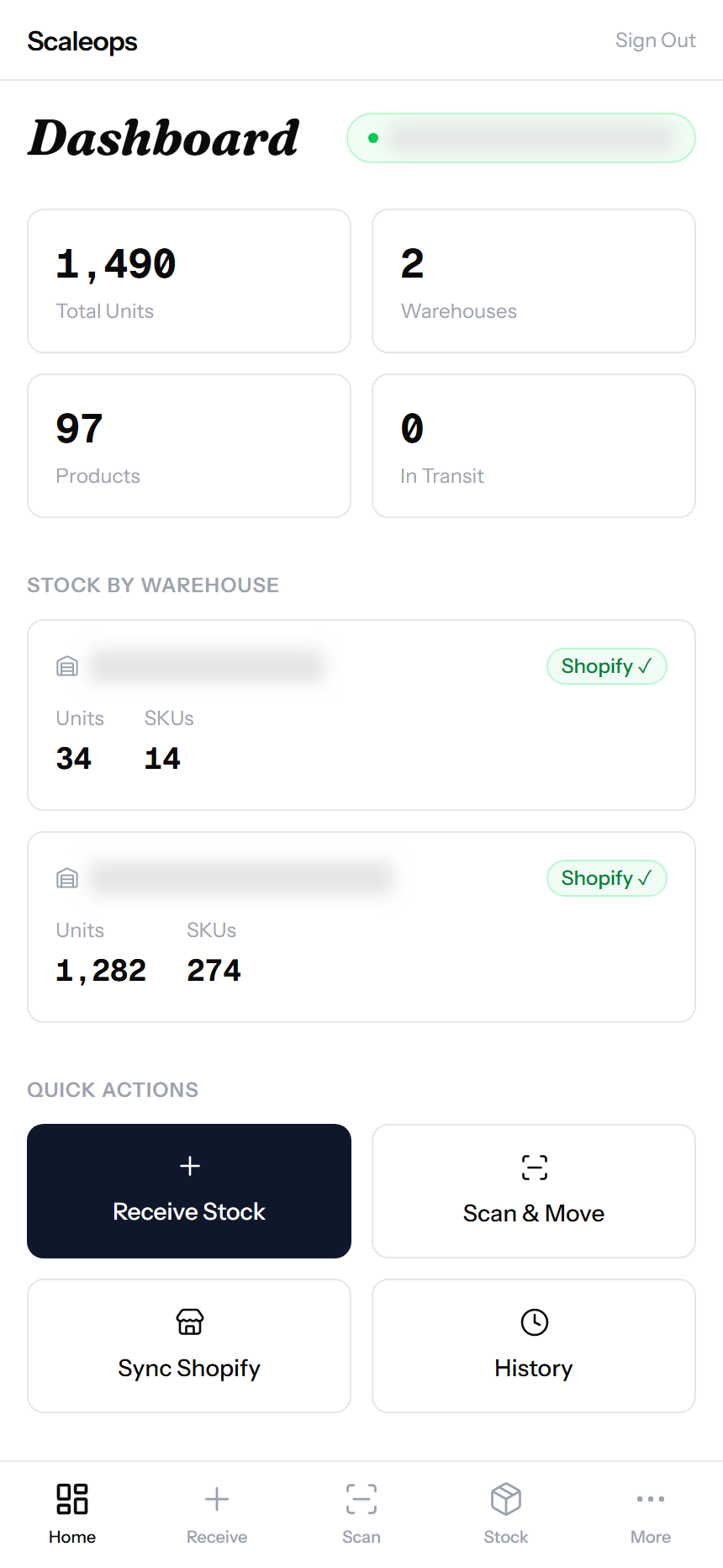
- Multi-warehouse, mobile-first, no extra hardware
Get a free trial
We will reach out within one business day.
Pakistan COD breaks every other inventory app.
30-40% of orders come back. Couriers swap boxes. Stock disappears between warehouses. Shopify shows units you don’t have. Nothing built for the West handles this.
Returns flood back
Refused on arrival, RTO, customer change-of-mind. Every returned unit needs to scan back into stock cleanly — without double-counting or losing track.
Multi-city fulfillment
Karachi, Lahore, Islamabad warehouses. Each one needs its own real-time count, with stock transfers tracked unit by unit.
Shopify oversell risk
If your inventory app updates Shopify hourly, you’ll oversell a hot SKU before lunch. Stock changes need to push in seconds, not hours.
| Feature | ScaleOps Inventory | Cin7 / Linnworks | Excel / Manual |
|---|---|---|---|
| Per-unit barcode tracking | Built-in | SKU-level only | No |
| COD return scan-back | One scan | Manual workflow | Manual |
| Push to Shopify | Seconds (real-time) | Scheduled batch | Manual |
| Mobile-first scanning | Phone camera | Desktop / dedicated app | No |
| Setup cost | Days | Months + license fees | N/A |
Inventory Operations
Every unit. Every move. Tracked.
Receive Stock with Per-Unit Barcodes
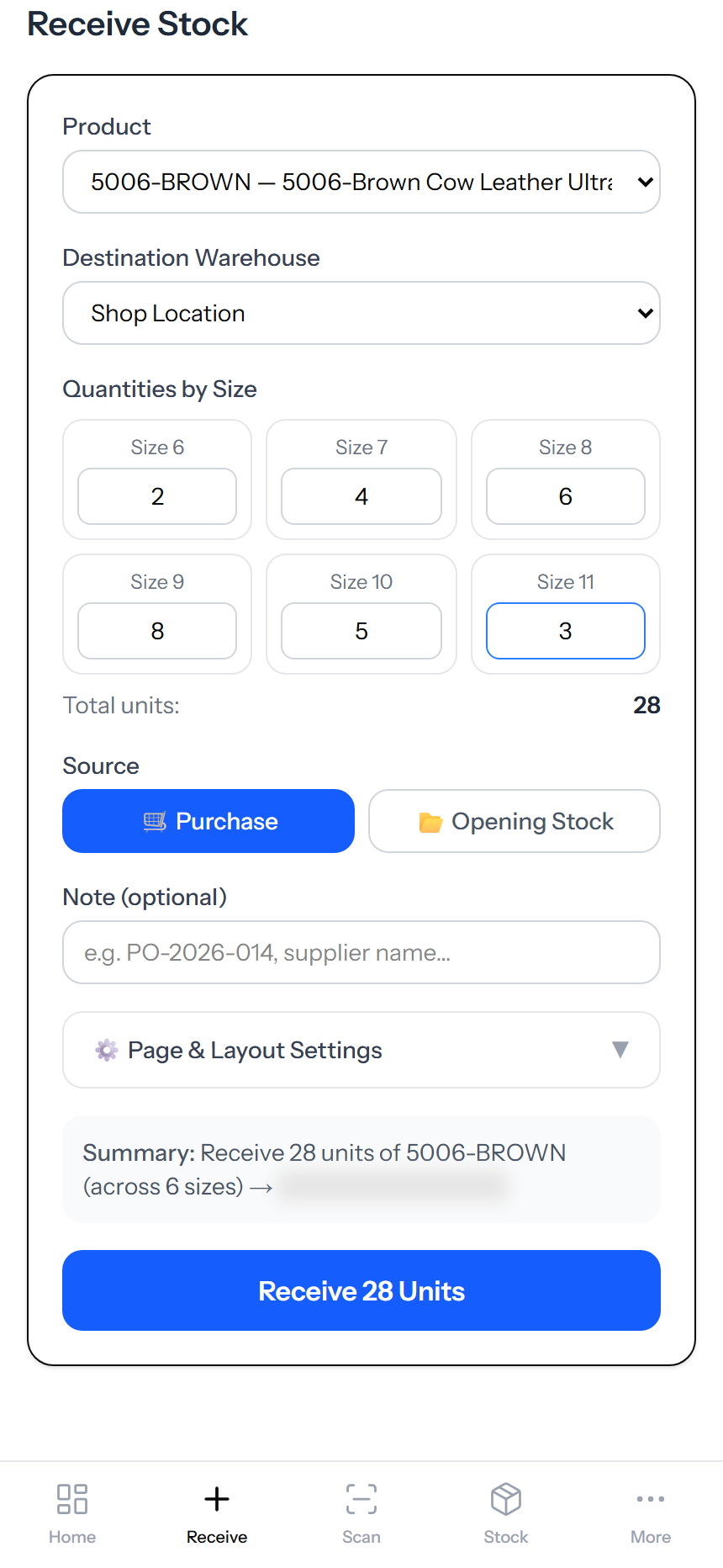
Pick a product, enter quantities by size, and the system generates a unique barcode for every single unit. Print on a thermal label. Stick on the box. That unit is now traceable from receive to dispatch.
- Size grid input — fits Pakistani footwear, apparel, and accessories
- Code 128 barcodes generated per unit, not per SKU
- Source tagged: Purchase or Opening Stock
- PO note field for supplier reference
- Shopify pushes the new total within seconds
Real-Time Inventory by Warehouse
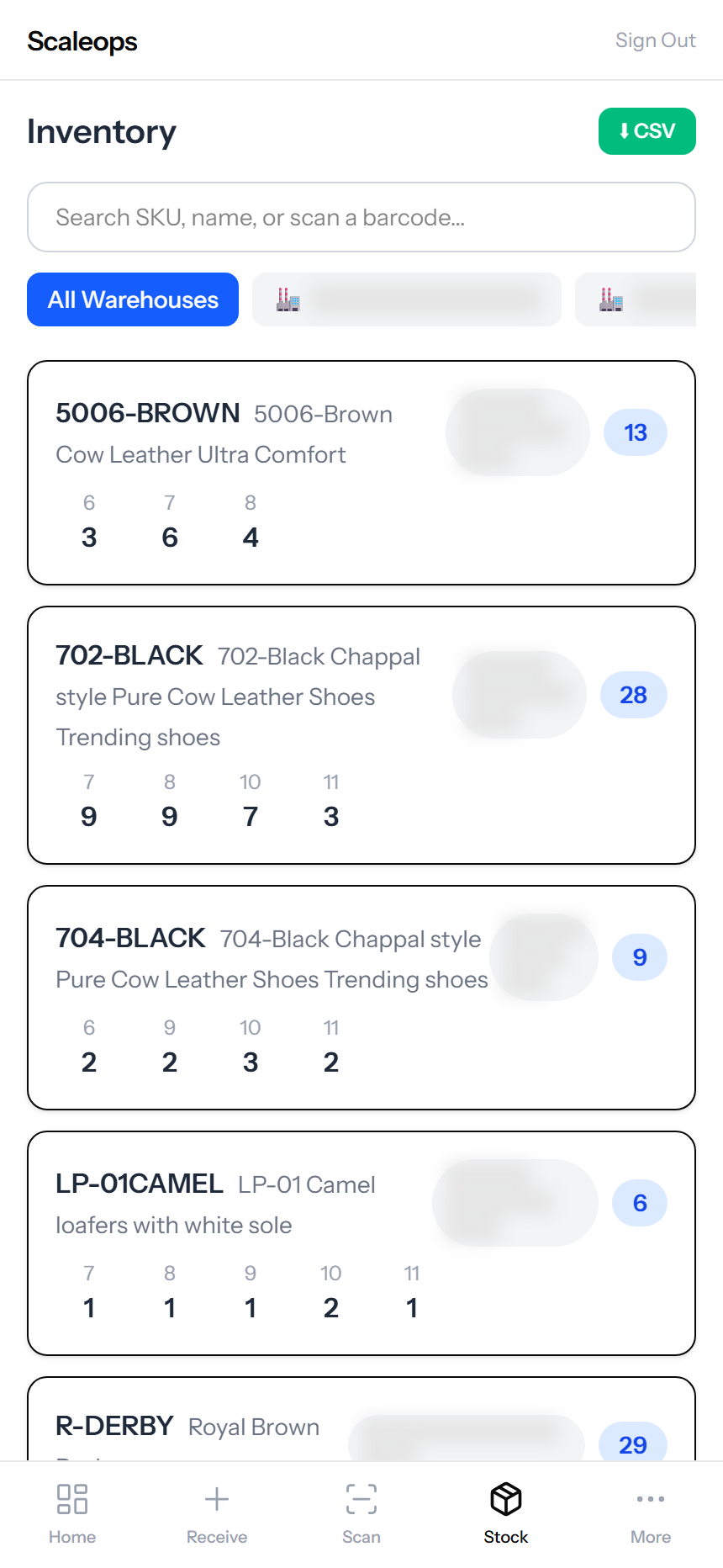
Live stock count for every SKU at every warehouse. Filter by location, search by name or barcode. Total view or per-warehouse view in one tap.
- Size-by-size breakdown for every product
- Filter by warehouse — shop, main warehouse, dispatch hub
- Search by SKU, product name, or scan a barcode
- CSV export for ops, finance, or compliance
Scan to Move, Sell, or Return
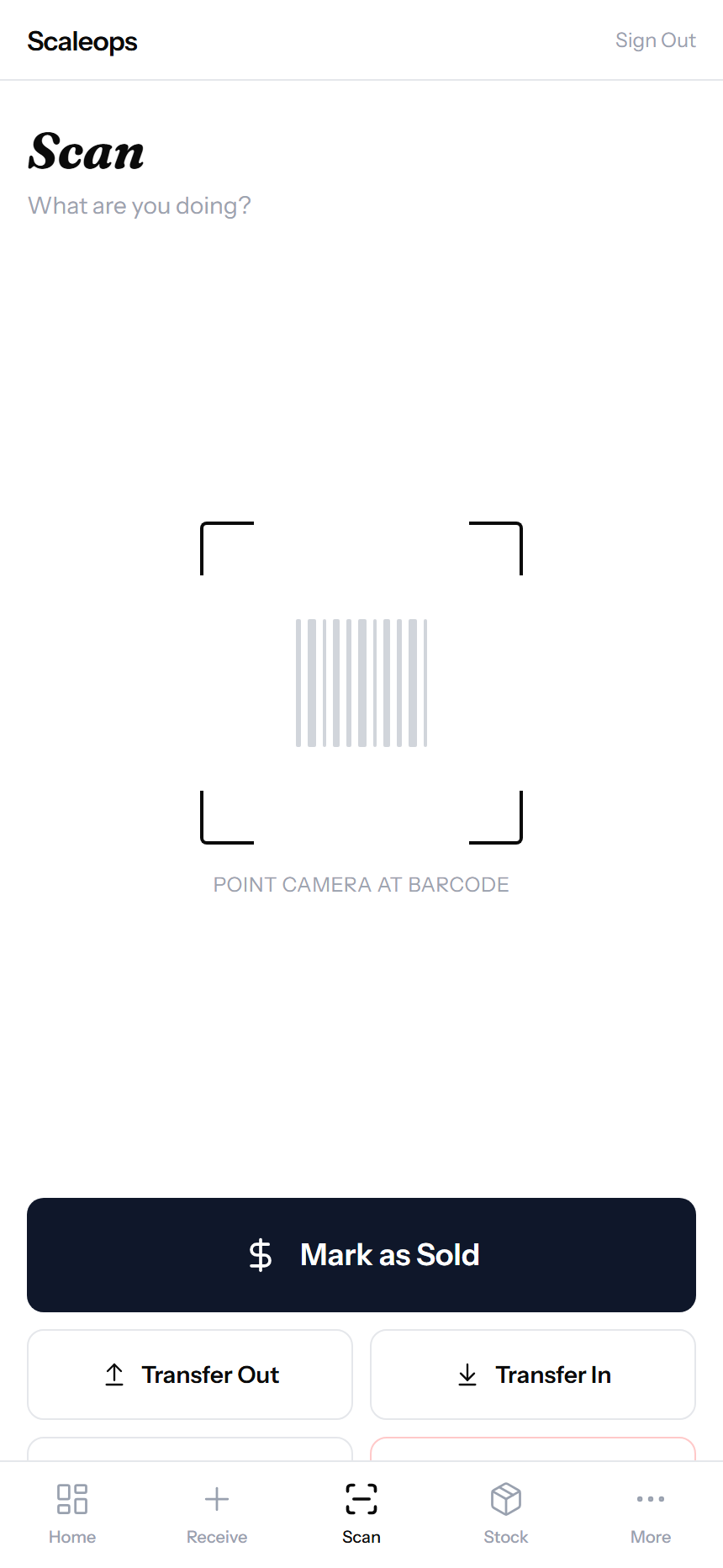
The most-used screen on the warehouse floor. Open the camera, scan a barcode, pick the action. Sale, Transfer, Return, Destroy. One tap. Stock updates instantly.
- Mark as Sold — primary action, thumb-zone button
- Transfer Out / Transfer In — between warehouses
- Return — refused-on-arrival flows back into stock
- Destroy — damaged goods, with audit reason required
- Camera, USB scanner, or manual entry — all supported
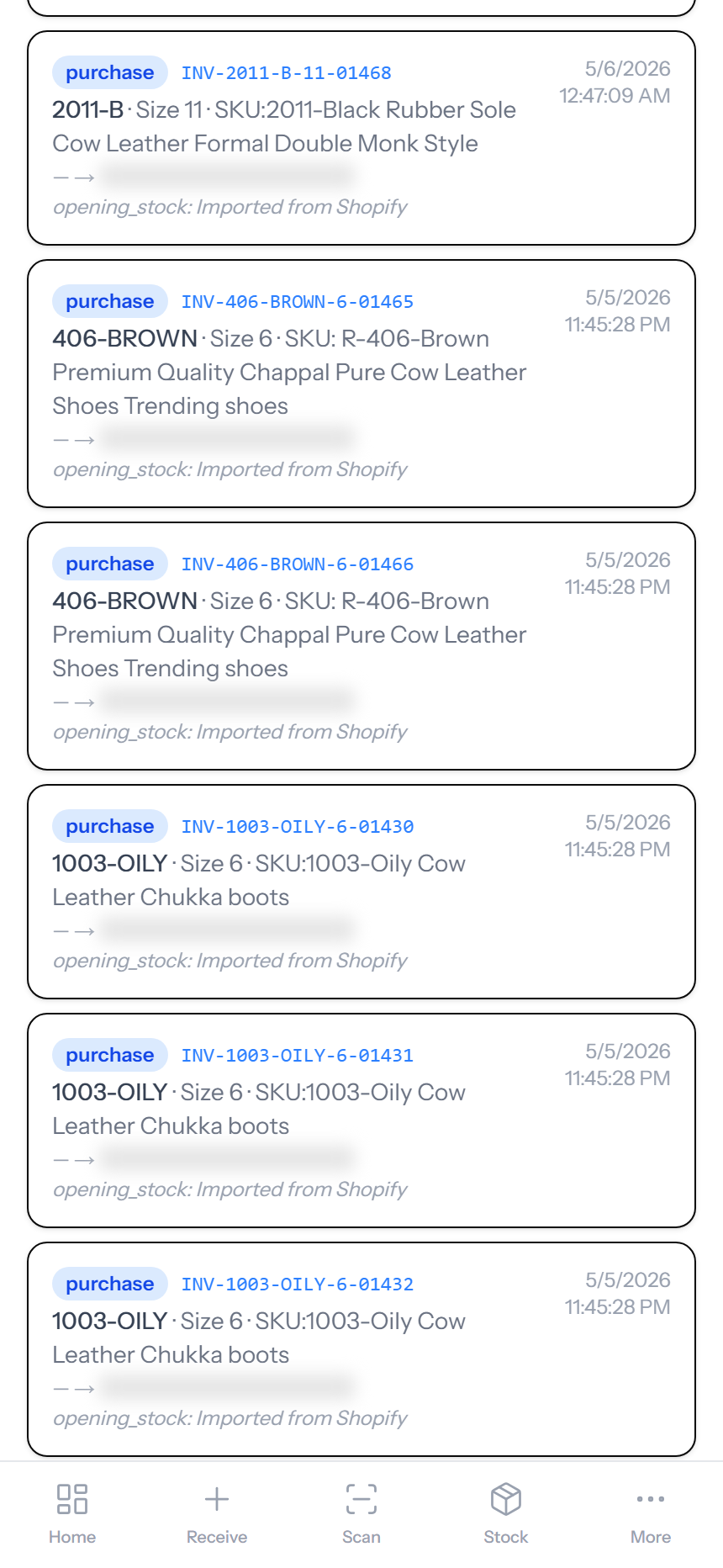
Movement History — Every Scan Logged
Every barcode has a journey. Received, transferred, sold, returned. Full audit trail with timestamp, user, and from/to location. Filter by event type or trace a single unit.
- Filter chips: Purchase, Transfer, Sale, Return, Destroy, In Transit
- Forensic columns — every change is signed by user and time
- Trace any single barcode through its entire history
- Reconcile column for out-of-band corrections (rare, but logged)
Your Warehouse Count, Reflected on Shopify
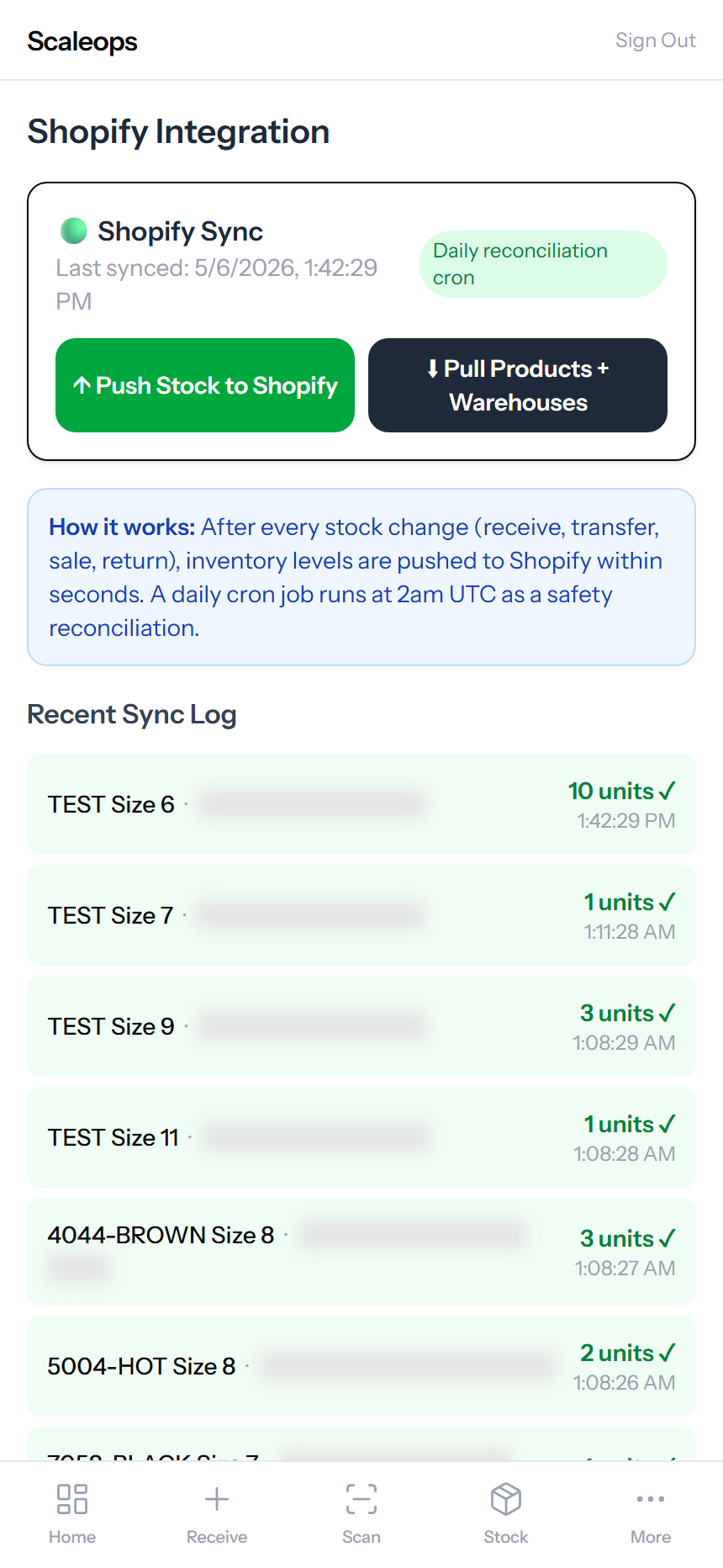
Shopify should never show units you don’t physically have. After every receive, transfer, sale, or return, your real warehouse count pushes to Shopify within seconds — so the storefront always matches the floor.
- Real-time push to Shopify after every scan — no oversell windows
- Daily reconciliation cron at 2am UTC as a safety net
- Per-warehouse mapping to Shopify locations
- One-time product + location import from Shopify at setup
- Sync log shows every push with timestamp and unit count
Catalog and Labels
Imported from Shopify. Ready to scan.
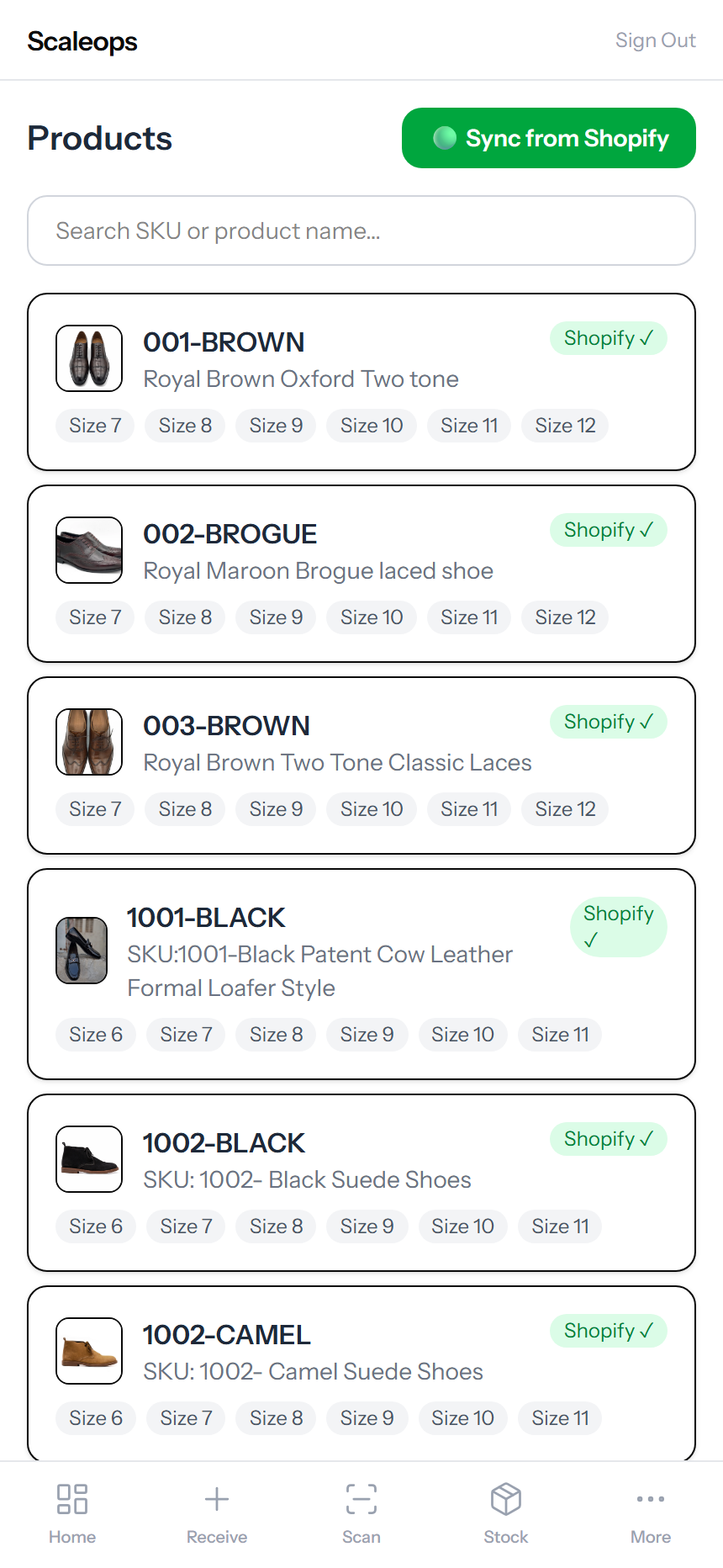
Products Synced from Shopify
On first connect, the app pulls your full catalog — every product, every variant, every size, every image. No double data entry. Your Shopify is the source of truth for the catalog.
- One-click “Sync from Shopify” pulls product images, names, SKUs
- Size variants extracted automatically (6, 7, 8, 9, 10, 11)
- Add-product workflow lives in Shopify — no admin overhead here
- Unmapped variants flagged for manual size-tag fix
Print 40 Labels per A4 Page
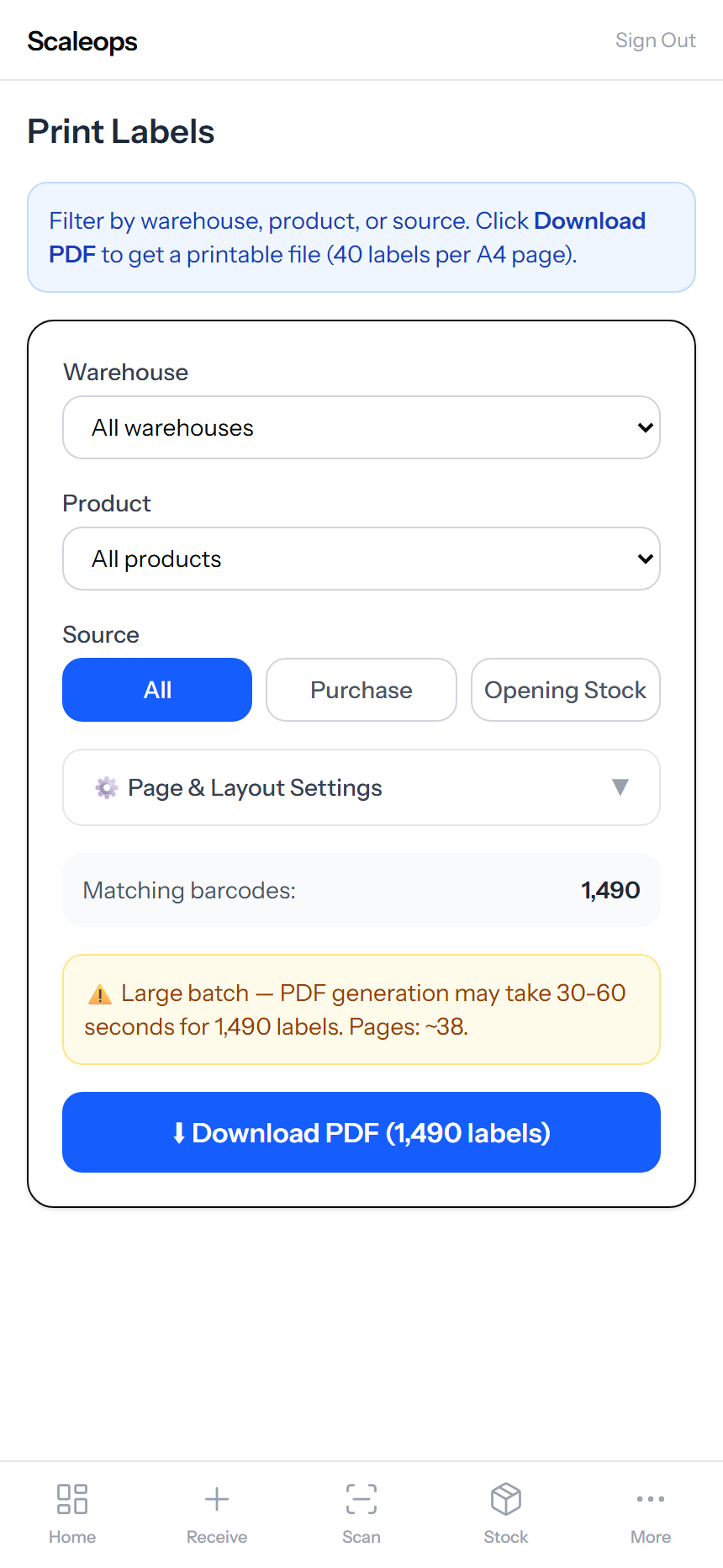
After receiving stock, generate a printable PDF of barcode labels. Filter by warehouse, product, or source. Print on regular A4 or thermal labels. Stick on the box. Done.
- 40 labels per A4 — page-and-layout settings adjustable
- Filter to print only newly received units
- Code 128 barcodes — works with any USB or Bluetooth scanner
- SKU + size + sequence printed below the barcode
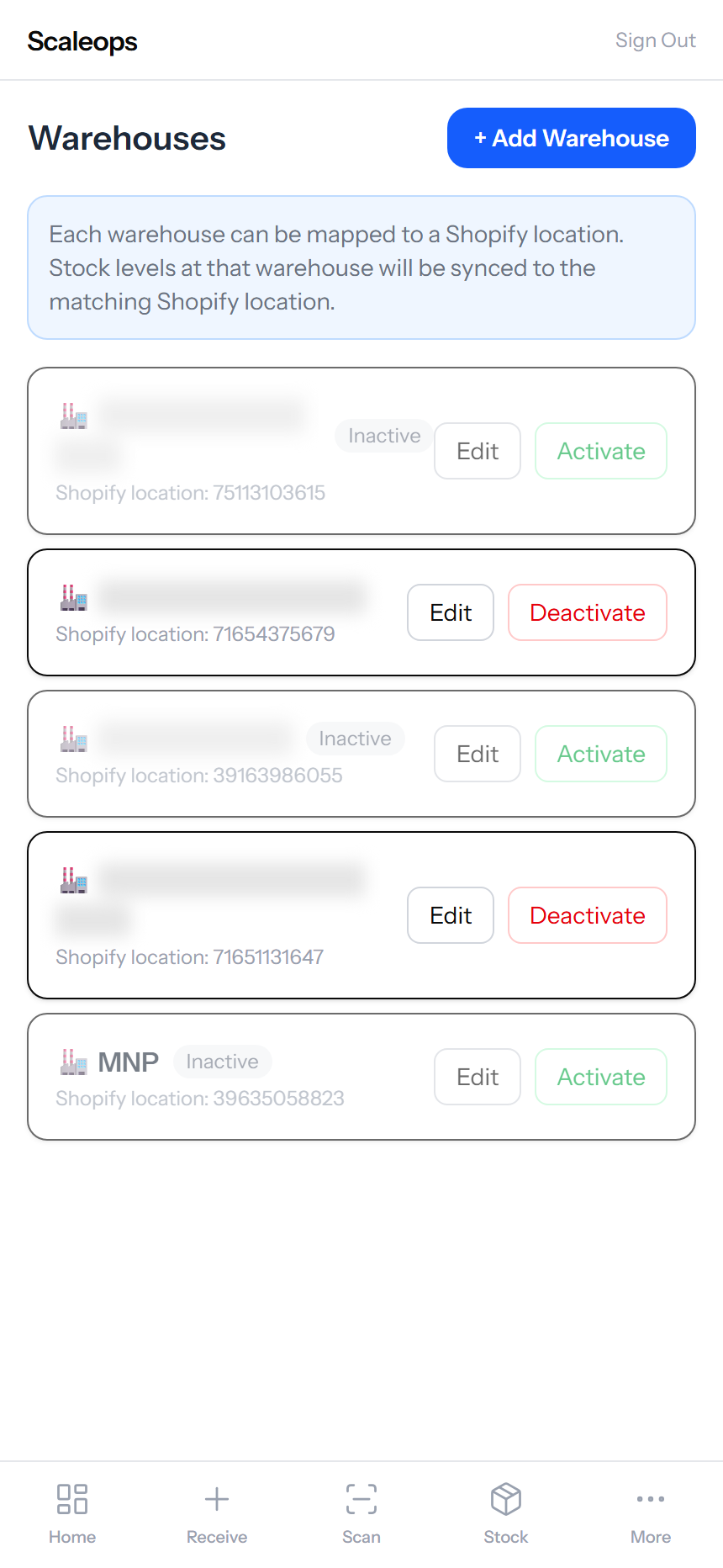
Multi-Warehouse with Shopify Mapping
Run one shop, three warehouses, or twenty dispatch hubs. Each warehouse maps to a Shopify location, so stock at “Karachi Warehouse” pushes to your Karachi Shopify location automatically.
- Active / inactive toggle — pause a warehouse without deleting
- Each warehouse mapped to a Shopify location ID
- Transfers logged unit by unit between warehouses
- “In Transit” stock counted separately so it doesn’t oversell
Team and Permissions
Your warehouse staff. Locked-down access.
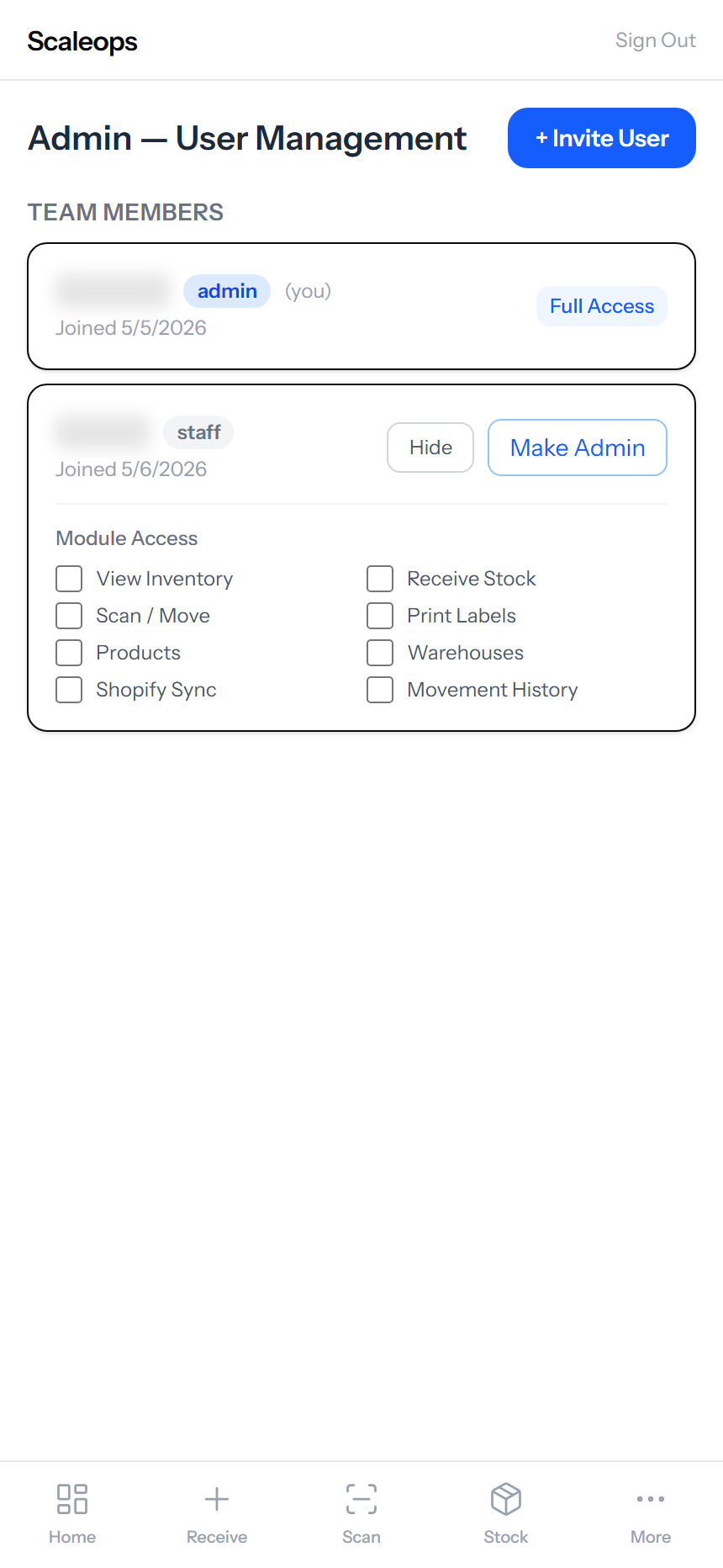
Per-Module Permissions for Staff
Invite teammates by email. Pick exactly which modules they can see. A scanner-only worker shouldn’t see Shopify sync. A label printer shouldn’t see warehouse settings. Eight modules, eight checkboxes.
- View Inventory, Scan / Move, Receive Stock
- Products, Print Labels, Warehouses
- Shopify Sync, Movement History
- Admin role gets full access — staff role gets only what you tick
- Promote staff to admin in one click when they’re trusted
Designed for the warehouse floor.
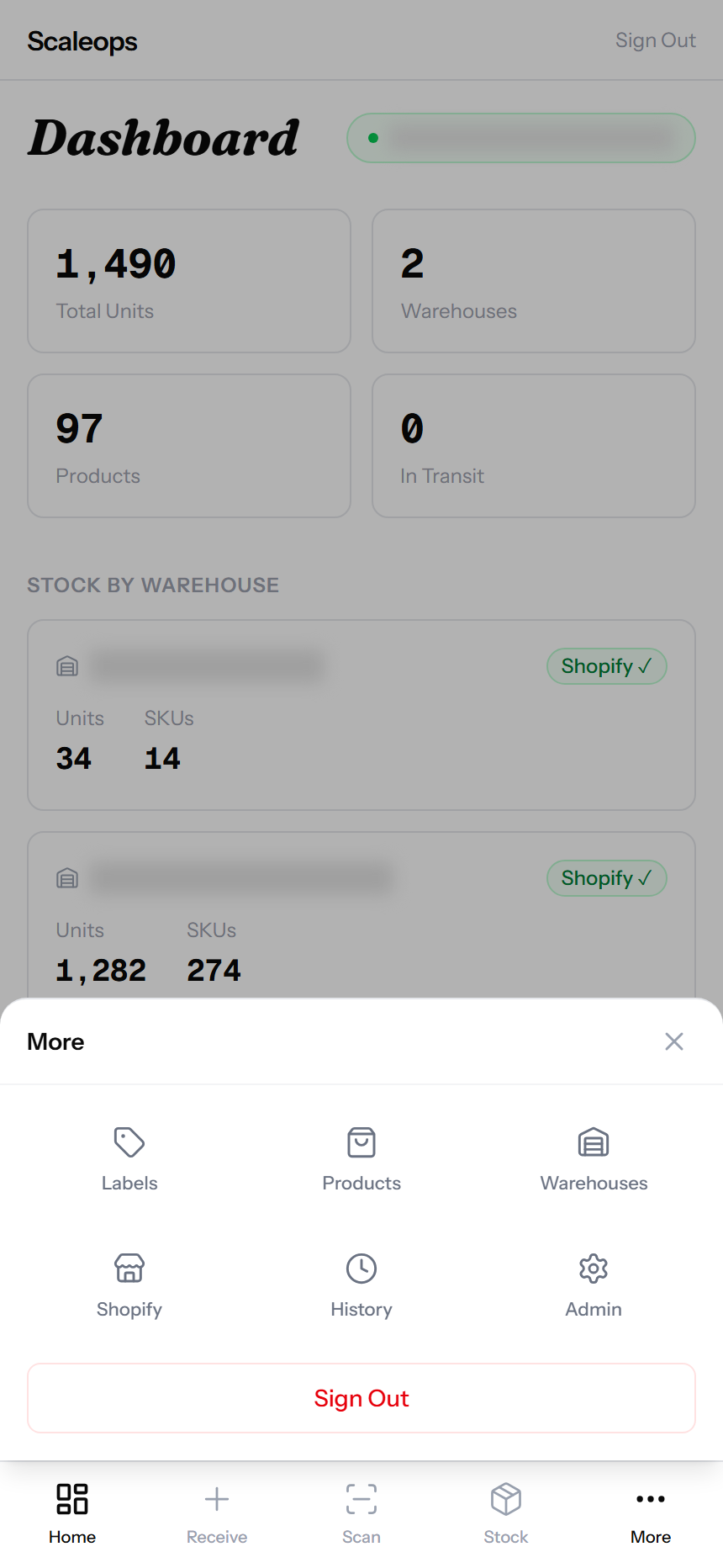
Bottom tab bar with Home, Receive, Scan, Stock, More. 44px touch targets. Numeric keyboards on quantity fields. Works on any phone — no app store needed. Add to home screen for an app-like icon.
- Mobile-first nav — primary actions in the thumb zone
- Phone camera barcode scanning, no extra hardware needed
- Numeric keypad pops automatically for quantity inputs
- Works in any modern browser — Chrome, Safari, Edge
- Multiple staff scanning at once, no conflicts
From Shopify to scan-ready in a day.
Connect Shopify
One-time OAuth. Pull your products, variants, and locations. Map each warehouse to a Shopify location.
Receive opening stock
Enter what’s currently in each warehouse. The system generates per-unit barcodes. Print labels and stick on boxes.
Scan everything from there
Sale? Scan. Transfer? Scan. Return? Scan. Stock and Shopify update within seconds. No more guesswork.
Everything a Shopify COD store needs.
Per-Unit Barcodes
Code 128 per unit. Every box traceable.
Shopify Sync
Real-time push + daily reconcile cron.
Multi-Warehouse
Unlimited locations, each mapped to Shopify.
COD Return Flow
One scan to put refused stock back online.
Mobile-First
Camera scanning, bottom tabs, thumb-zone CTAs.
Team Roles
Per-module permissions for warehouse staff.
Audit Trail
Every movement signed with user + timestamp.
Label Printing
40 per A4. Filter by warehouse or product.
Built for Pakistani DTC.
If you sell on Shopify and most of your orders are COD, this was made for you.
Footwear & Apparel
Shoes, chappal, kurtas, dresses. Size-by-size tracking. Hot SKUs synced to Shopify in real time.
Leather Goods
Bags, belts, wallets. Per-unit traceability for high-ticket items where every return matters.
Multi-Warehouse Brands
Karachi shop + Lahore warehouse + Islamabad dispatch hub. Stock pushes to the right Shopify location.
Questions.
Try it free.
Start your free trial. We will set up a test Shopify store and walk through the full COD return flow with you.