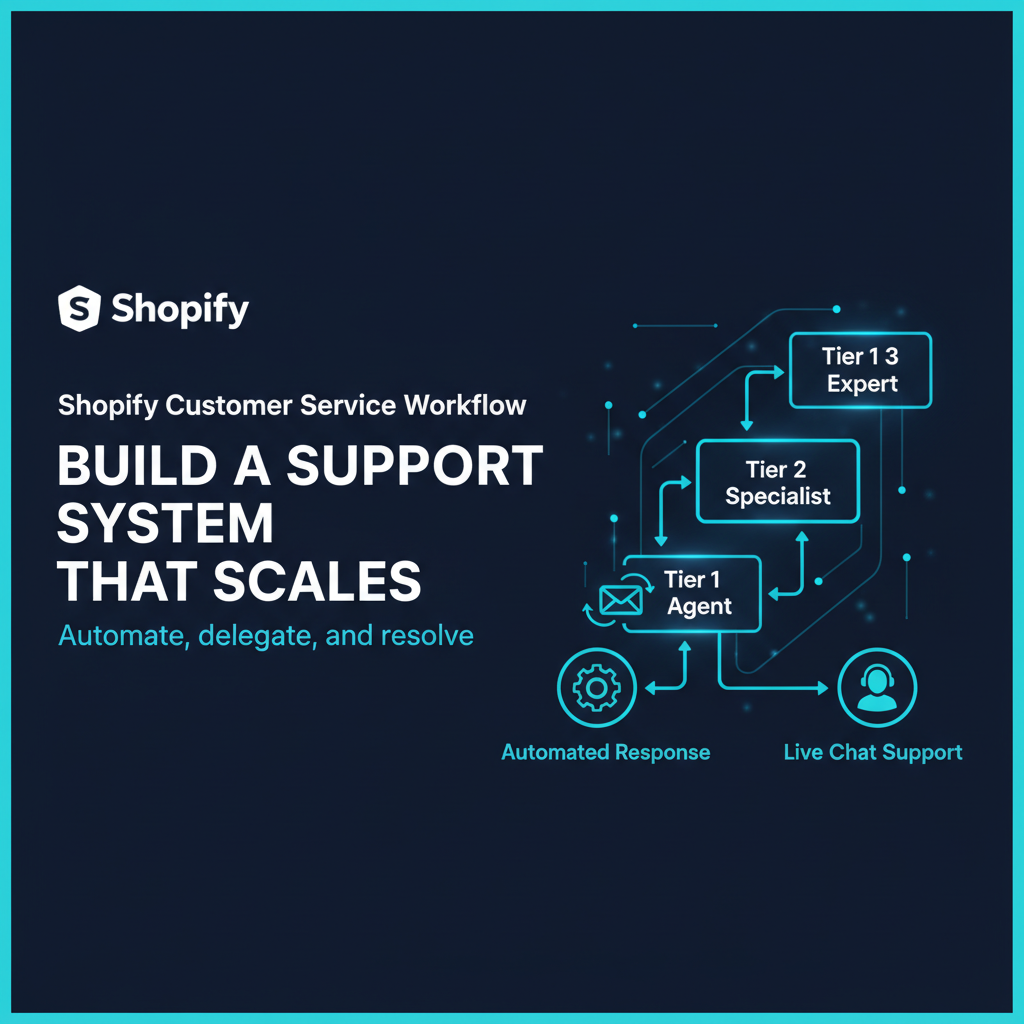
Customer service is an operations function, not just a communications function. The brands that scale CS efficiently do not just hire more agents as order volume grows — they build a system where most customer interactions resolve themselves, agents handle the rest in minutes rather than hours, and the data from CS tickets feeds back into operations to prevent the same problems from recurring.
This guide covers how to build a Shopify customer service workflow that scales from 200 to 5,000 orders per month without a proportional increase in headcount. The focus is on systems: the right tools, the right processes, and the right metrics to know when it is working.
Why a Shared Email Inbox Stops Working
Most Shopify brands start customer service with a shared email inbox. One or two people monitor it, reply to tickets, and forward things that need attention. This works at 50 to 100 orders per month. By 300 orders per month, the cracks are visible: tickets get missed because two people both thought the other handled it, there is no history of what was promised to whom, and responding to a shipping question means opening three tabs (email, Shopify orders, shipping platform) to find the answer.
A shared inbox also gives you no operational data. You cannot see how many tickets are open, what the average response time is, which issues account for the most volume, or whether your team is keeping up. You are flying blind on what is arguably the most important touchpoint with your customers.
The solution is a dedicated help desk platform with native Shopify integration. The investment is typically $60 to $300 per month — less than the labour cost of managing the chaos that a shared inbox creates.
Setting Up Gorgias for Shopify
Gorgias is purpose-built for Shopify ecommerce. Its core advantage is that it pulls full Shopify order context into every ticket: the customer’s order history, current order status, tracking information, subscription status, refund history, and LTV — all visible in the right sidebar while your agent reads the customer’s message. No tab switching, no copy-pasting order numbers into Shopify search.
Key setup steps for a Shopify brand:
- Connect Shopify: The Gorgias-Shopify integration installs in minutes via OAuth. All future emails from customers that include an order number automatically pull that order into the ticket view.
- Connect all your channels: Email is the start, but connect your Facebook Messenger, Instagram DMs, and any live chat to the same Gorgias workspace so agents handle all channels from one screen.
- Set up customer tags: Tag VIP customers, wholesale accounts, and subscription customers in Gorgias so agents know the context before reading the first word of the ticket.
- Configure views: Create filtered ticket views by channel, urgency, and issue type. An agent handling shipping issues should not see returns tickets in their queue — separate views reduce cognitive load and prioritization errors.
- Enable Shopify actions: Gorgias allows agents to issue refunds, cancel orders, and create return labels directly from the ticket without switching to Shopify admin. Set permissions carefully — not every agent should have refund authority without a supervisor review.
Building Your Macro Library
A macro is a pre-written response template that auto-fills personalized fields (customer name, order number, tracking link, return portal link). Macros are the single highest-leverage investment in CS efficiency. A well-written macro takes the same work as a good reply and scales it to every future instance of that question.
Start by auditing your last 200 tickets. What percentage were asking the same 10 questions? In most ecommerce CS operations, 60 to 80 percent of tickets fall into fewer than 15 categories. Build a macro for each one.
The core macro library every Shopify brand needs:
- Where is my order: Pulls tracking number and carrier link automatically. Sends only if tracking shows shipped; escalates if not shipped after X days.
- How to start a return: Links to your return portal (Loop Returns or native Shopify returns). Includes your return policy summary.
- My item arrived damaged: Requests photo, expresses apology, offers reship or refund, routes to senior agent if order value is above threshold.
- Wrong item received: Confirms what should have been received, requests photo of wrong item, initiates reship automatically if confirmed.
- Cancel my order: Checks fulfillment status. If unfulfilled, cancels with one click from the macro action. If fulfilled, routes to return flow.
- Where is my refund: Checks refund status in Shopify, provides expected timeline by payment method, escalates if beyond standard processing time.
- I want to update my subscription: Routes to subscription portal link (Recharge or equivalent). If they want to cancel, provides retention offer before completing cancellation.
Designing Your Escalation Tiers
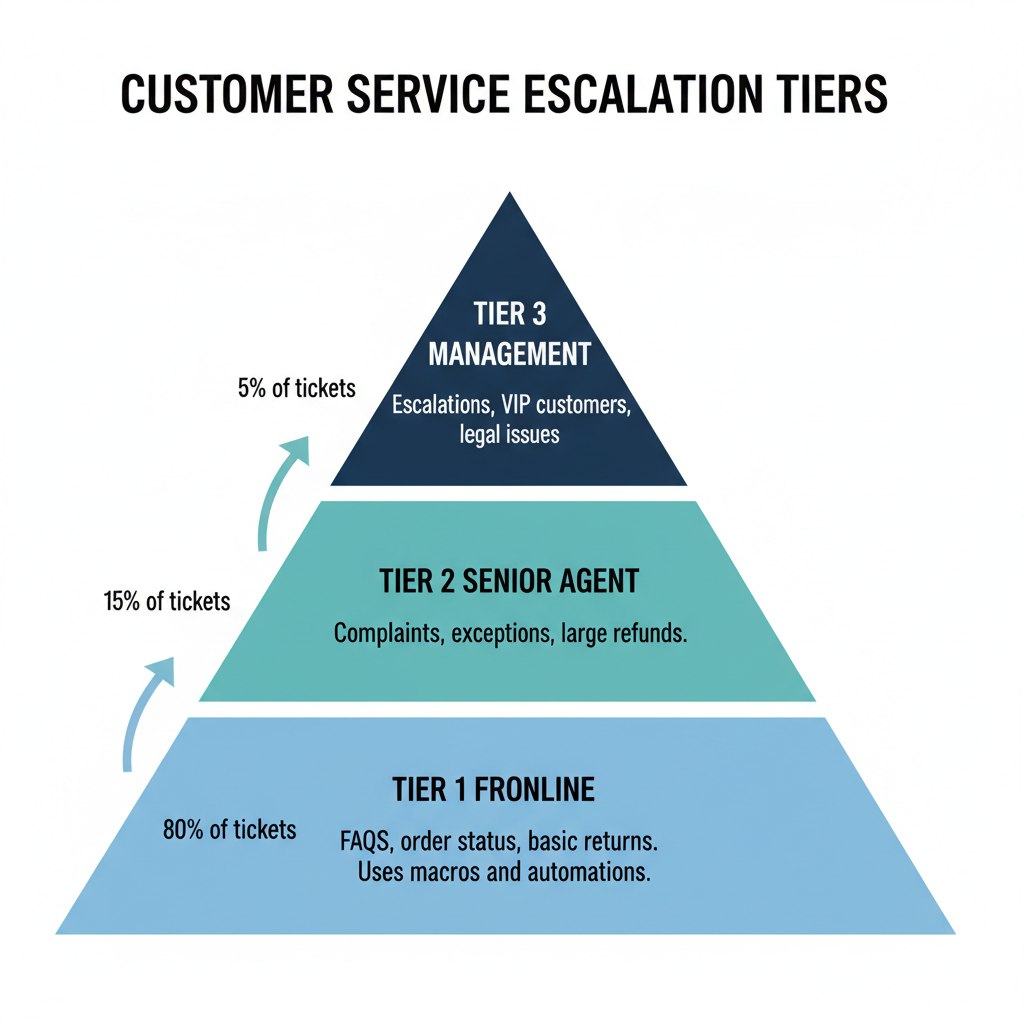
Not all tickets are created equal. A question about delivery timing is tier one. A question about why a $500 order is three weeks late and the tracking has not updated involves the 3PL and may require a carrier investigation — that is tier three. Without a clear escalation framework, agents either escalate everything (creating bottlenecks) or handle things beyond their authority (creating inconsistency).
A practical three-tier framework:
- Tier 1 (agents resolve independently): Order status inquiries, standard return requests, shipping address updates before fulfillment, basic product questions, subscription pause or skip. Resolution time target: under 15 minutes.
- Tier 2 (agent handles with supervisor awareness): Damaged item claims over $50, wrong item with reshipment needed, refund disputes, subscription cancellation attempts (retention intervention). Resolution time target: same business day.
- Tier 3 (requires external coordination): Lost packages requiring carrier claims, 3PL errors affecting multiple orders, large order disputes, chargebacks. Resolution time target: 3 to 5 business days. Requires ops manager involvement.
Document the criteria for each tier clearly. Agents should never have to guess which tier a ticket belongs to.
Setting and Enforcing SLAs
A service level agreement (SLA) defines the maximum time a ticket can sit without a response or resolution before it is flagged as overdue. Without SLAs, ticket queues drift and customers wait days for responses to simple questions.
Practical SLA targets for DTC brands: first response within 4 business hours (email), within 1 hour (live chat), within 24 hours on weekends. Resolution within 24 to 48 business hours for Tier 1 tickets, 72 hours for Tier 2. Tier 3 tickets should have a customer-facing update within 24 hours even if full resolution takes longer.
Gorgias and most help desk tools allow you to set SLA rules with automatic notifications when tickets approach or breach their target. Configure these notifications to go to a supervisor, not just the assigned agent, so overdue tickets get attention before they become customer complaints.
CS Reporting KPIs That Actually Matter
Track these metrics weekly and review trends monthly:
- Ticket-to-order ratio: Tickets received divided by orders placed. A healthy DTC operation runs 5 to 10 percent. Above 15 percent indicates a systemic problem (fulfillment errors, confusing policy, poor post-purchase communication) that needs a root cause fix, not more agents.
- First response time: Average time from ticket creation to first agent reply. Track by channel (email vs. chat vs. social).
- Resolution time: Average time from ticket creation to ticket closed. Track by issue category to identify which problems take longest to resolve.
- CSAT (customer satisfaction score): Post-resolution satisfaction survey. Target above 90 percent. Below 80 percent indicates either process or communication problems.
- Ticket volume by category: What are your top five ticket types? If shipping inquiries are 40 percent of your volume, improving your shipping confirmation emails might eliminate half of them.
The ticket-to-order ratio is the most important number. It tells you whether your ops are generating customer problems or preventing them. Invest in reducing it through better post-purchase communication, more reliable fulfillment, and a self-serve return portal before adding CS headcount. ScaleOps configures Gorgias and Zoho CRM for Canadian product brands. If your CS operation is reactive and manual, book a free discovery call.
Frequently Asked Questions
What is the best customer service tool for Shopify?
Gorgias is the category leader for Shopify brands — it pulls full order context into every ticket, supports macros and automation, and allows agents to take Shopify actions (refunds, cancellations) without leaving the help desk. Re:amaze is a lower-cost alternative. Zendesk and Freshdesk work but require more configuration to achieve ecommerce-specific functionality.
How many customer service reps do you need per order volume?
Industry benchmarks suggest one full-time CS agent per 400 to 600 orders per month for standard DTC operations. Under 300 orders per month, a part-time or founder-handled function is manageable. Above 1,000 per month, a small team with clear escalation paths is needed.
What is a CS macro and why should you use them?
A macro is a pre-written response template that auto-fills personalized order details. Macros ensure consistent quality, reduce agent handle time, and prevent different agents giving different answers to the same question. Every common question should have a macro: Where is my order, how do I return, my item arrived damaged, I want to cancel.
What SLA should a Shopify brand set for customer service?
First response within 4 business hours (email), 1 hour (live chat), 24 hours on weekends. Full resolution within 24 to 48 business hours for standard issues. CSAT scores drop sharply when first response time exceeds 24 hours.
How do you scale customer service without hiring proportionally?
Scale through macros and templates, automation rules for simple inquiries (order status, return portal self-service), and a help center knowledge base that deflects common questions. Brands that invest in these three areas maintain ticket-to-order ratios of 5 to 8 percent versus 15 to 25 percent for brands without systems.
Keep reading
- How to Integrate Amazon and Shopify: Sync Inventory, Orders, and Listings
- How to Automate Shopify Order Processing (Without Breaking Anything)
- E-commerce Fraud Prevention: How to Protect Your Shopify Store
- International E-commerce: How to Expand Your Shopify Store Globally
Need hands-on help? Explore our Shopify Operations →
