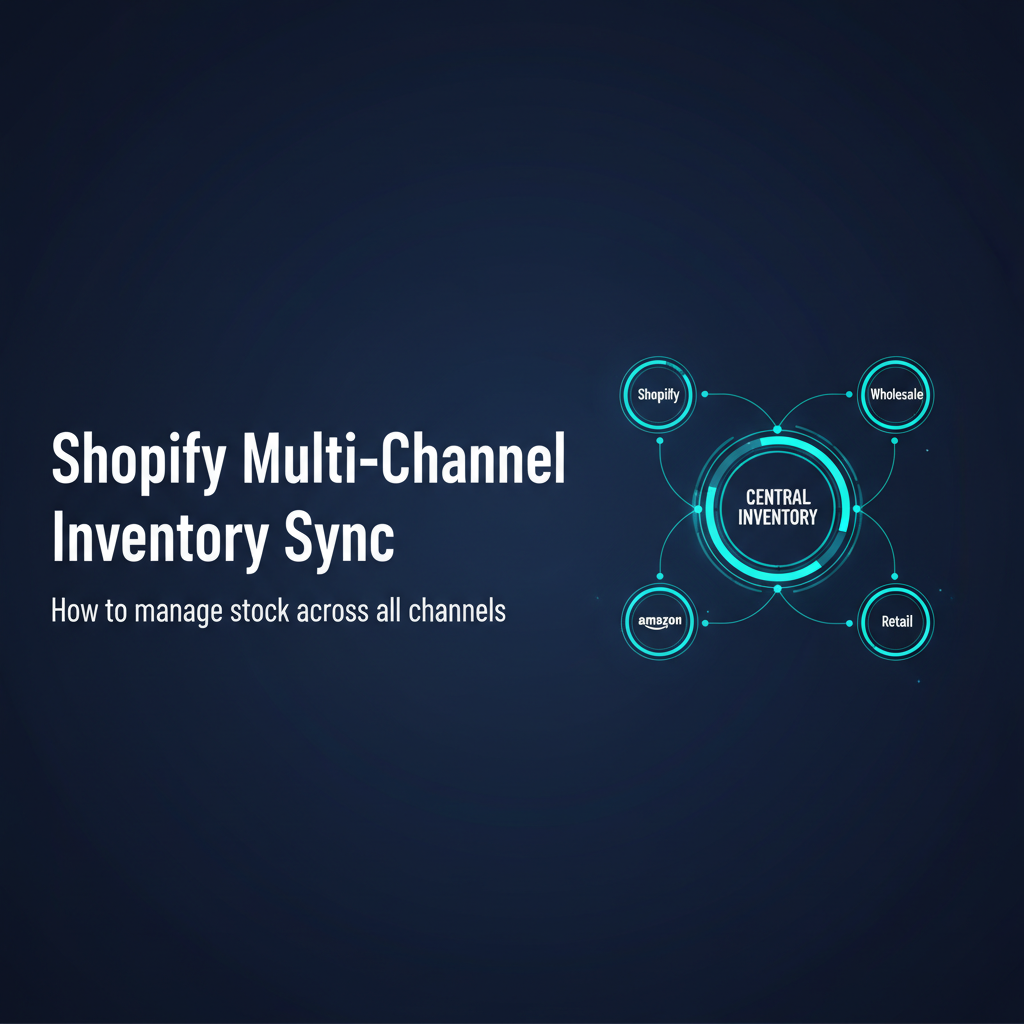
The moment you add a second sales channel to your Shopify store, inventory management becomes a coordination problem. One channel sells your last unit while the other channel is still showing it as available. The result: an oversell, a customer disappointment, and a manual reconciliation that eats forty-five minutes of your morning. Multiply that by fifty SKUs and three channels, and you have a full-time job that should not exist.
This guide covers how Shopify multichannel inventory sync actually works, where it breaks, which tools handle it best at each growth stage, and the buffer stock strategy that prevents oversells even when your sync tool is running a few minutes behind.
What Multichannel Inventory Actually Means
Multichannel inventory means you are selling the same physical SKU through more than one platform simultaneously: Shopify DTC, Amazon Seller Central, TikTok Shop, wholesale portals, retail pop-ups, or any combination. The inventory management challenge is that each platform maintains its own quantity counter, and none of them automatically talk to each other.
When a unit sells on Amazon, Amazon deducts it from Amazon inventory. Shopify has no idea. When the same unit sells on Shopify five minutes later, Shopify deducts it from Shopify inventory. Now you have sold the same physical unit twice. One customer gets it, one customer gets an apology and a refund.
The solution is a shared inventory pool: one authoritative count per SKU that all channels read from, with a sync layer that updates every channel every time any channel records a sale. This is conceptually simple but operationally complex once you add multiple SKUs, variants, bundles, and channels with different sync frequency requirements.
Why Shopify Native Inventory Breaks for Multichannel
Shopify’s native inventory is designed for a single storefront. It tracks quantity per variant per location, and it does this well. What it does not do is maintain a relationship with inventory on other platforms. There is no native Amazon integration in Shopify that keeps counts synchronized in real time. There is no TikTok Shop inventory sync. Shopify Markets handles international storefronts under one backend, but it is not a multichannel sync tool for third-party platforms.
The gaps that cause the most damage:
- No real-time cross-platform deduction: Shopify does not know when Amazon receives an order. Without a third-party sync tool, the counts drift immediately.
- No channel-specific holds: You cannot tell Shopify to reserve 30 units for Amazon and 50 for DTC from a shared pool of 80. Either system can sell any unit at any time.
- No bundle decomposition across channels: If you sell a bundle on Shopify and individual components on Amazon, native Shopify cannot automatically deduct components from your component inventory when a bundle sells.
- Continue Selling When Out of Stock is product-level, not channel-level: You cannot allow backorders on one channel while blocking them on another without manual intervention.
For brands on a single channel, none of this matters. The moment you add a second platform with meaningful sales volume, these gaps translate directly to oversells, stockouts, and the hidden labour cost of manual reconciliation.
The Cost of Multichannel Overselling
Overselling is not just a customer service problem. Every oversell has a quantifiable cost: the cost of the cancelled order (refund processing, payment fee loss, support time), the cost of customer acquisition you paid to win that customer who will likely not return, and in some cases Amazon account health penalties if you consistently cancel orders after accepting them.
A brand processing 800 orders per month across three channels with a 1.5 percent oversell rate has 12 problem orders per month. At $50 average revenue per order, that is $600 per month in lost revenue before accounting for refund processing costs and customer lifetime value destruction. Over a year, that is $7,200 in direct losses from a problem that a $65 per month sync tool would eliminate.
Amazon additionally penalizes sellers who cancel orders after acceptance. A cancellation rate above 2.5 percent can result in deactivation of your seller-fulfilled offers on Amazon. Brands that oversell on Amazon because Shopify sold the same inventory first can accumulate cancellations quickly, putting the entire Amazon channel at risk.
Establishing Your Inventory Source of Truth
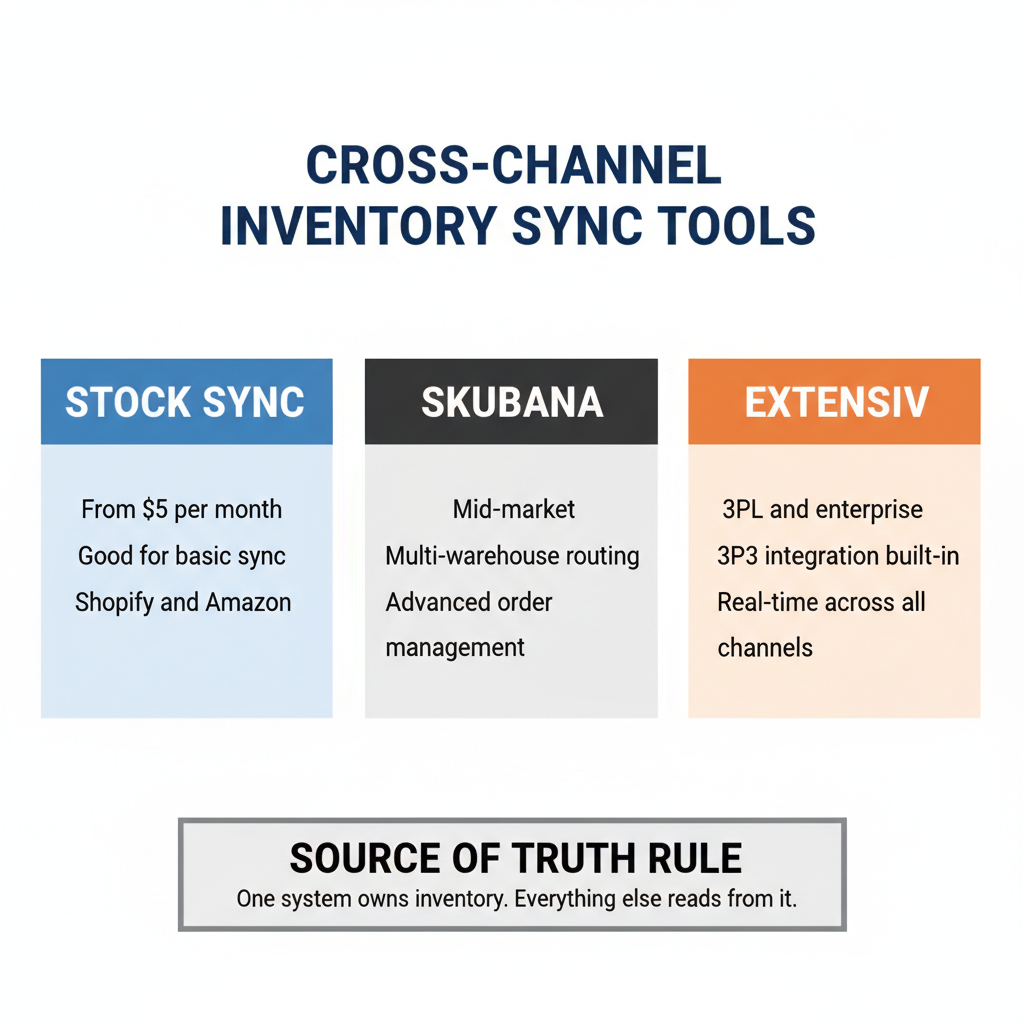
Before choosing a sync tool, decide which system owns the master inventory count. This is called your source of truth, and every other system reads from it rather than maintaining its own independent count.
For brands under $3M with Shopify as their primary channel and one or two additional platforms, Shopify itself can be the source of truth. Your sync tool reads Shopify inventory and pushes those counts to Amazon, TikTok, or wherever else you sell.
For brands with a 3PL relationship, a dedicated inventory management system (Cin7 Core, Extensiv Order Manager) is usually a better source of truth. The 3PL warehouse holds the physical stock and their WMS is the most accurate count. Your sync tool then reads from the WMS and pushes to all selling channels, including Shopify.
The decision matters because sync tools are directional: they push from the source of truth outward. If Shopify is your source and Amazon sells a unit, the sync tool needs to deduct from Shopify and re-push the updated count to all other channels. If your WMS is the source and Shopify sells a unit, Shopify tells the WMS, the WMS deducts, and the WMS pushes to all channels. Different architectures have different failure modes.
Tools for Shopify Multichannel Inventory Sync
These are the tools most commonly used by Shopify brands at different growth stages:
Stock Sync (starting at $25/month)
Stock Sync is a Shopify app that handles inventory updates from supplier feeds, spreadsheets, and other channels via FTP, URL, Google Sheets, or API. It is best suited for brands syncing Shopify with a supplier or one additional platform at low-to-medium order volumes. It is not a full multichannel OMS — it handles the sync layer but does not manage orders or routing. Sync frequency goes as fast as every 30 minutes on higher plans, which is adequate for most DTC brands but insufficient for high-velocity channels like Amazon Prime.
Linnworks ($449+/month)
Linnworks is a dedicated multichannel operations platform that covers inventory sync, order management, and listing management across Shopify, Amazon, eBay, TikTok Shop, and 30-plus other channels. It offers real-time sync via API and handles bundle decomposition, location-based routing, and warehouse integration. Linnworks is the right tool once you have significant volume on two or more platforms and need order routing logic on top of inventory sync. The price is justified at roughly 1,000-plus orders per month across channels.
Cin7 Core ($349–$999/month)
Cin7 Core is primarily an inventory management and order management system with built-in Shopify integration and connections to major marketplaces. It goes beyond sync to handle purchase orders, supplier management, and B2B ordering. Cin7 Core is the right choice for brands that need multichannel sync and are also outgrowing Shopify native inventory for purchase order management and demand forecasting. It is more complex to implement than Stock Sync but gives you a complete inventory back-office.
Extensiv Order Manager (custom pricing)
Extensiv Order Manager (formerly Skubana) is designed for high-volume brands managing orders across multiple channels and fulfillment locations. It handles complex order routing rules (route orders from the nearest warehouse, route Amazon FBA orders differently from 3PL orders), advanced analytics, and multi-warehouse inventory. It is typically the right fit at $5M-plus revenue with significant multichannel volume and a 3PL or multi-warehouse setup.
Buffer Stock Strategy
Buffer stock is the most underused protection against multichannel overselling. The idea is simple: do not expose 100 percent of your available inventory to any channel. Reserve a buffer — typically 5 to 15 percent of available stock — that acts as a safety margin when sync delays occur.
How to calculate your buffer: if your fastest-selling SKU processes 10 orders per hour across all channels, and your sync tool updates every 15 minutes, you theoretically have 2.5 orders of exposure per channel during each sync window. A buffer of 5 to 10 units on that SKU covers this exposure. For slow-moving SKUs selling 2 to 3 per day, a buffer of 1 to 2 units is usually sufficient.
Most sync tools allow you to set buffer stock per SKU or globally. Set it before you go live with multichannel, not after your first oversell. Revisit buffer levels quarterly as your order velocity changes.
Setup Sequence for Multichannel Sync
- Audit your SKU master: Every product on every channel must share the same SKU. Mismatched SKUs cause the sync to fail silently — the tool cannot match what it cannot identify.
- Decide your source of truth: Shopify, your WMS, or a dedicated inventory platform.
- Set inventory tracking on every Shopify variant: The Shopify setting is per variant — products with untracked inventory are invisible to sync tools.
- Configure buffer stock: Set a minimum buffer per SKU before exposing any inventory to additional channels.
- Test with low-risk SKUs first: Pick two to three SKUs, connect one additional channel, and run 20 to 30 test transactions to verify sync accuracy before going live across your full catalog.
- Set up daily reconciliation: Schedule a daily export comparing Shopify inventory to your source of truth. Discrepancies above a threshold should alert your ops team.
Reconciliation Cadence
Sync tools are not perfect. API timeouts, rate limits, and webhook failures mean your counts will occasionally drift even with the best tool configured correctly. A reconciliation process is how you catch and correct drift before it causes oversells.
Daily reconciliation: export Shopify inventory and your source of truth for all SKUs. Flag any discrepancy above your threshold (typically 2 to 5 units depending on your buffer level). Investigate and correct before the next business day.
Weekly full audit: compare inventory on all channels simultaneously. If Amazon shows 12 units available and your WMS shows 8 on hand, there is a problem. Either previous orders did not deduct correctly or your source of truth has a data error. Fix both the symptom (the count) and the cause (the sync failure that allowed the drift).
Notes for Canadian Brands
Canadian brands selling on Amazon must manage separate Amazon.ca and Amazon.com inventory pools if maintaining US warehouse stock alongside Canadian stock. Linnworks and Cin7 Core both handle multi-region Amazon integration. Note that Shopify Markets allows you to serve Canadian and US customers from one Shopify storefront, but it is not a multichannel sync tool for Amazon inventory management — those are separate problems requiring separate solutions.
If you use a Canadian 3PL and a US 3PL simultaneously, your source of truth must know which physical units are in each country. Cin7 Core and Extensiv Order Manager both support multi-location inventory with location-specific counts, which is essential for cross-border inventory management.
ScaleOps Consulting sets up multichannel inventory sync for Canadian product brands, including Shopify, Amazon, and 3PL integration. If your counts keep drifting, book a free discovery call.
Frequently Asked Questions
Can Shopify sync inventory with Amazon automatically?
Shopify does not natively sync inventory with Amazon. You need a third-party tool such as Stock Sync, Linnworks, or Cin7 Core to maintain a shared inventory pool that updates both platforms when a sale occurs on either channel. Without this, you will oversell when inventory sells out on one channel before the other updates.
What is the best tool for Shopify multichannel inventory sync?
Stock Sync ($5 to $65 per month) works well for one or two additional channels at low order volume. Linnworks ($449 per month and up) handles high-volume multichannel operations with complex routing. Cin7 Core ($349 per month) adds purchase order management alongside sync.
What is buffer stock and why does it matter?
Buffer stock is inventory you hold back from all channels to cover the gap during sync delays. If you have 100 units and expose all 100 to multiple channels, two channels can simultaneously sell the last unit before your sync tool updates. A 5 to 15 percent buffer prevents this race condition.
How do you prevent overselling on Shopify across multiple channels?
Use a real-time inventory sync tool, set buffer stock on every SKU, enable Shopify inventory tracking per variant, disable Continue Selling When Out of Stock unless you intentionally allow backorders, and run daily reconciliation comparing Shopify inventory to your source of truth.
What is a master inventory source of truth?
The master inventory source of truth is the single system that holds the authoritative count for every SKU. All other channels read from and write back to this system. For most Shopify brands under $3M, Shopify can serve as the master. Brands with 3PLs typically use their WMS or a dedicated inventory platform like Cin7 Core as the master.
Keep reading
- Multi-Channel Inventory Management: Shopify, Amazon, and Retail
- How to Integrate Amazon and Shopify: Sync Inventory, Orders, and Listings
- How to Automate Shopify Order Processing (Without Breaking Anything)
- E-commerce Fraud Prevention: How to Protect Your Shopify Store
Need hands-on help? Explore our Shopify Operations →
