Running a Shopify store past the $1M mark is exciting — until the cracks start showing. What worked at 50 orders a day falls apart at 500. The painful part is that most of the damage is self-inflicted. These aren’t random failures; they’re predictable mistakes that Canadian product brands make when operations don’t keep pace with growth.
This guide breaks down the 10 most costly Shopify operations mistakes — what they look like, why they happen, and what to do instead.
1. Running Shopify Without a Documented Fulfillment Process
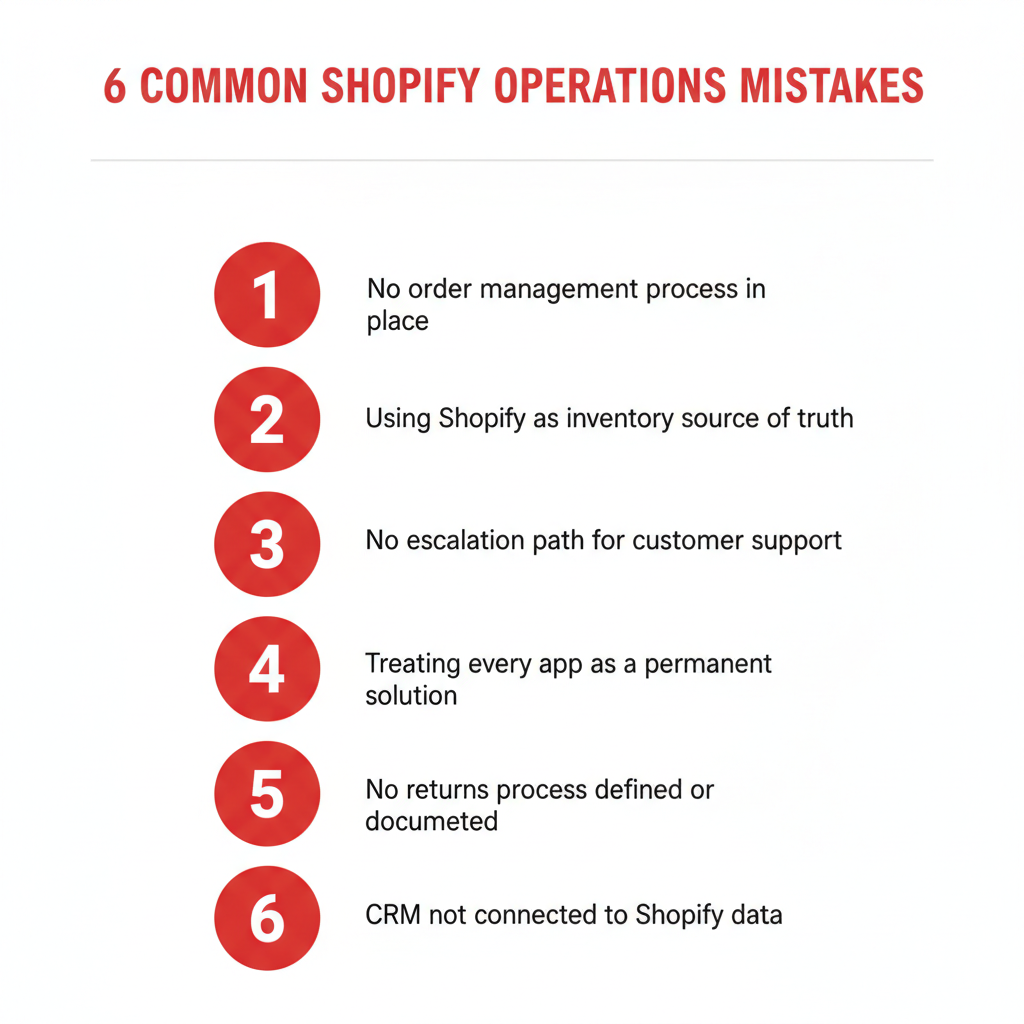
Most brands scale from founder-packs-everything to a small team without ever writing down how an order gets fulfilled. Someone learns by watching. Institutional knowledge lives in one person’s head. When that person leaves or gets sick, the wheels come off.
The result: inconsistent pack quality, missed shipping windows, customer complaints that can’t be diagnosed because nobody knows what the correct process was in the first place.
What to do instead: Document your fulfillment workflow as a step-by-step SOP before you hire your second ops person. Include pick-pack standards, carrier selection rules, exception handling (damaged items, short picks, wrong address), and escalation contacts. Review it quarterly.
2. Using Shopify’s Native Inventory as Your Single Source of Truth
Shopify’s inventory module is functional for simple single-channel operations. It becomes a liability once you’re selling on Amazon, Faire, or through wholesale accounts — or once a 3PL is touching your stock.
The core problem: Shopify adjusts inventory based on order events, but it doesn’t handle physical receiving, cycle counts, adjustments for damage, or warehouse location logic. When your 3PL’s system disagrees with Shopify, which do you trust? Most brands don’t have a clear answer.
What to do instead: Designate a system of record for inventory. For brands using a 3PL, the 3PL’s WMS (warehouse management system) or a dedicated IMS like Extensiv should be master. Push inventory updates back to Shopify via integration — don’t manage stock manually in both places. If you’re multichannel, a middleware layer like Linnworks or a native Zoho Inventory setup can centralize stock across all storefronts.
3. Ignoring Order Routing Logic Until It’s Too Late
At low order volumes, every order goes to the same place. Easy. But as you add warehouse locations, 3PL partners, or drop-ship suppliers, order routing becomes a real operations challenge that Shopify doesn’t solve natively.
Common failure modes include: orders routed to a location that’s out of stock, manual re-routing that creates fulfillment delays, split shipments that confuse customers and inflate shipping costs, and no fallback logic when a location can’t fulfill.
What to do instead: Define routing rules before you scale. Document the priority order of fulfillment locations, rules for split shipments (when to allow them vs. hold for consolidation), carrier preference by region, and who gets notified when an exception fires. If you’re on Shopify Plus, use the order routing feature. On standard Shopify, apps like ShipHero or a 3PL integration with Extensiv can handle this logic.
4. No Customer Service Escalation Path
Shopify stores that grow fast often have a customer service setup that looks like this: a shared inbox, a few canned replies, and one person who handles the hard stuff. No escalation matrix, no defined response SLAs, no handoff between CS and ops when an issue requires a fulfillment fix.
When a customer contacts you about a missing order, your CS team needs to know: who owns this? What’s the response time? What can they offer to resolve it? When do they loop in ops? Without defined escalation, customers wait, reps improvise, and costs spiral.
What to do instead: Build a tiered escalation matrix. Tier 1: CS rep handles standard issues with predefined resolution options (reship, refund thresholds, coupon). Tier 2: ops-facing issues go to a lead with access to Shopify admin and 3PL portal. Tier 3: anything involving a vendor, fraud, or above a dollar threshold gets flagged to a manager. Map this in a tool like Zoho Desk for visibility.
5. Treating Every App Like a Permanent Solution
The Shopify App Store is both a superpower and a trap. Early-stage brands install apps to solve point problems — a returns app, a review app, a loyalty app, a bundling app — and end up with 30+ apps that overlap, conflict, and slow down the store.
Every app has a monthly cost. Every app adds load to page performance. Every app creates a potential conflict with theme updates or Shopify releases. And most critically: multiple apps touching the same data (orders, inventory, customers) create reconciliation nightmares.
What to do instead: Do an annual app audit. For each app: what problem does it solve? Is that problem still real? Is there another app in your stack that overlaps? Can this be solved natively in Shopify or in Zoho? Cut anything that hasn’t generated measurable value. Aim for a lean stack where each app owns one clearly defined function.
6. Not Integrating Your CRM
Many growing Shopify brands have customer data scattered across three places: Shopify customer records, email marketing lists, and a spreadsheet someone maintains. This creates a fragmented view of the customer — you know what they ordered, but not which segment they’re in, what their LTV looks like, or whether a sales rep has spoken to them.
For DTC brands, this limits your ability to personalize and retain. For brands with any B2B or wholesale component, it’s a revenue leak — deals fall through because there’s no CRM to track follow-ups and pipeline.
What to do instead: Connect Shopify to a CRM. For most Canadian product brands in the $1M–$20M range, Zoho CRM is the right fit — it integrates natively with Shopify via Zoho Flow or third-party connectors, and it ties into Zoho Desk, Zoho Analytics, and Zoho Inventory without buying a separate platform for each. Set up the integration so every new Shopify customer creates or updates a CRM contact, and every order syncs as a deal or activity record.
7. Skipping UAT Before Going Live With a 3PL
User Acceptance Testing (UAT) is where you verify that your Shopify-to-3PL integration actually works before real orders flow through it. Most brands skip it because they’re in a hurry to go live, or because they assume the integration vendor has tested everything.
The consequences are expensive: orders routing to the wrong bin, SKU mismatches causing mis-picks, carrier label generation failures, address validation errors, or returns that land at the 3PL with no receiving instructions. By the time you catch these in production, you’ve already had customer complaints.
What to do instead: Run a structured UAT before going live. Test a standard order, an order with multiple line items, an order with a gift note, a cancelled order, a refund, and a return. Verify that the order appears in the 3PL’s WMS with correct SKU, quantity, and shipping method. Confirm that tracking numbers flow back to Shopify and trigger the correct email. Document pass/fail for each scenario and don’t go live until all critical paths pass.
8. Poor SKU Hygiene
SKU management sounds mundane until your 3PL can’t find a product because the SKU in Shopify doesn’t match what’s on the bin label. Or a bundle SKU doesn’t break down into component units correctly. Or a variant gets a duplicate SKU because someone copied a product without updating it.
Bad SKU hygiene creates friction at every touchpoint: receiving, picking, fulfillment, returns, and reporting. It’s one of the most common root causes of fulfillment errors for growing brands.
What to do instead: Establish a SKU naming convention before you onboard your first 3PL — and enforce it. A typical convention includes: category prefix, product code, variant identifiers (size, colour, pack count). Keep SKUs under 20 characters and avoid special characters. Audit for duplicates quarterly. If you’re adding bundles, define how they map to component SKUs in both Shopify and your 3PL’s WMS, and test the mapping explicitly during onboarding.
9. No Ops Metrics or Review Cadence
You can’t improve what you don’t measure. Most growing Shopify brands can tell you their revenue and AOV. Far fewer can tell you their order accuracy rate, their average fulfillment cycle time, their return rate by SKU, or their customer service resolution time.
Without operations KPIs, you’re flying blind. Problems persist because nobody’s tracking them. Fixes get implemented but nobody verifies whether they worked. Costs rise slowly and invisibly.
What to do instead: Define your ops metric stack. Core metrics to start with: order accuracy rate (target: 99%+), fulfillment cycle time (order placed to shipped), carrier on-time delivery rate, return rate by SKU and reason code, and first-contact resolution rate for customer service. Set a monthly ops review where you look at these numbers as a team. Build a simple dashboard in Zoho Analytics or even a Google Sheet — the tool matters less than the habit.
10. Hiring Before Fixing the Process
When operations get chaotic, the instinct is to hire someone to manage the chaos. A new ops coordinator, a customer service rep, a warehouse manager. But if you hire into broken processes, you’re just adding people to broken processes. New hires will ask how things are done — and the honest answer is “we’re not sure.”
Headcount adds cost and management overhead. It doesn’t fix root causes. And new employees hired into chaotic environments often leave within six months, taking the institutional knowledge they’ve built with them.
What to do instead: Document first, hire second. Before bringing on anyone in an ops role, spend four weeks documenting the current state: what your workflows look like today, where the manual handoffs are, what the exceptions are, and what a “good job” looks like for the role you’re filling. Use that documentation to write a clear job description and onboarding process. The hire will be more productive in week one and more likely to stay.
Putting It Together: The Ops Audit
These ten mistakes rarely show up in isolation. A brand with poor SKU hygiene usually also has no fulfillment SOP. A brand that skipped UAT usually also lacks ops metrics to catch the fallout. The patterns reinforce each other.
The most effective intervention is a structured ops audit: a systematic review of your current state across each of these areas. An audit doesn’t need to take weeks. A focused two-day review with the right framework can surface your top three to five priorities and give you a concrete action plan.
If you’re a Canadian product brand generating $1M–$20M in revenue and you recognize two or more of these mistakes in your operation, the cost of fixing them is significantly lower than the cost of continuing to absorb them.
Ready to audit your Shopify operations? Learn about our Shopify Operations service or book a free discovery call to talk through your specific situation.
Frequently Asked Questions
What are the most common Shopify operations mistakes for growing brands?
The most common are: no documented fulfillment process, using Shopify inventory as the only source of truth, poor SKU hygiene, no ops metrics, and hiring before fixing broken workflows. These tend to cluster together in brands scaling past $1M.
How do I know if my Shopify operations need a fix?
Signs include: rising customer complaints about orders, fulfillment errors you can’t diagnose, team members improvising instead of following a process, no visibility into ops KPIs, and high staff turnover in ops roles. Any two of these warrant a formal review.
Does Shopify Plus solve these operations problems?
Shopify Plus adds useful features — better order routing, flow automation, more API access — but it doesn’t fix process gaps. The mistakes listed here are organizational and process failures that software alone won’t resolve. You need documented workflows alongside the right tools.
How much do Shopify operations mistakes cost a brand?
It depends on volume and mistake type. Fulfillment errors cost $15–$50 per incident (reshipping, customer service time, product replacement). At 1% error rate on 1,000 orders/month, that’s $150–$500/month minimum. Poor app stack costs add up to hundreds per month in fees for tools that duplicate each other. CRM gaps result in lost reorder revenue — harder to quantify but typically 10–20% of potential LTV.
How long does it take to fix Shopify operations problems?
Quick wins like a fulfillment SOP or SKU audit can be done in one to two weeks. Structural fixes like a 3PL integration or CRM implementation typically take four to ten weeks depending on complexity. An ops consultant can compress the timeline significantly by bringing a tested framework instead of starting from scratch.
Should I hire an ops consultant or build internal ops capacity?
For brands under $5M: a consultant to build the foundation (SOPs, integrations, metrics), then hire someone to run it. For brands $5M–$20M: a consultant to lead the transformation alongside your internal team builds capability faster than hiring alone. The ROI of getting it right the first time versus iterating through expensive mistakes is substantial.
Keep reading
- The Shopify Operations Stack Every $1M Brand Needs (2026)
- How to Integrate Amazon and Shopify: Sync Inventory, Orders, and Listings
- How to Automate Shopify Order Processing (Without Breaking Anything)
- E-commerce Fraud Prevention: How to Protect Your Shopify Store
Need hands-on help? Explore our Shopify Operations →
