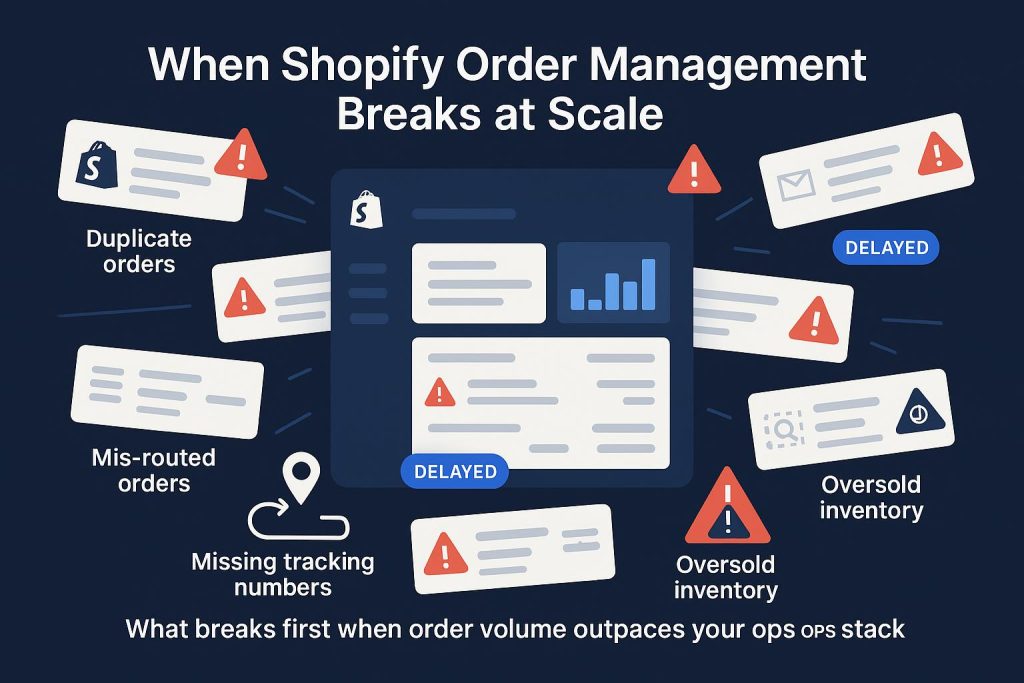
For most Shopify brands, order management works fine — until it doesn’t. Shopify order management problems rarely announce themselves with a single catastrophic failure. They accumulate: one oversold SKU, a few split shipments nobody noticed, a returns queue that takes three people a day to manage. By the time the pattern is obvious, you’re already losing margin and customers.
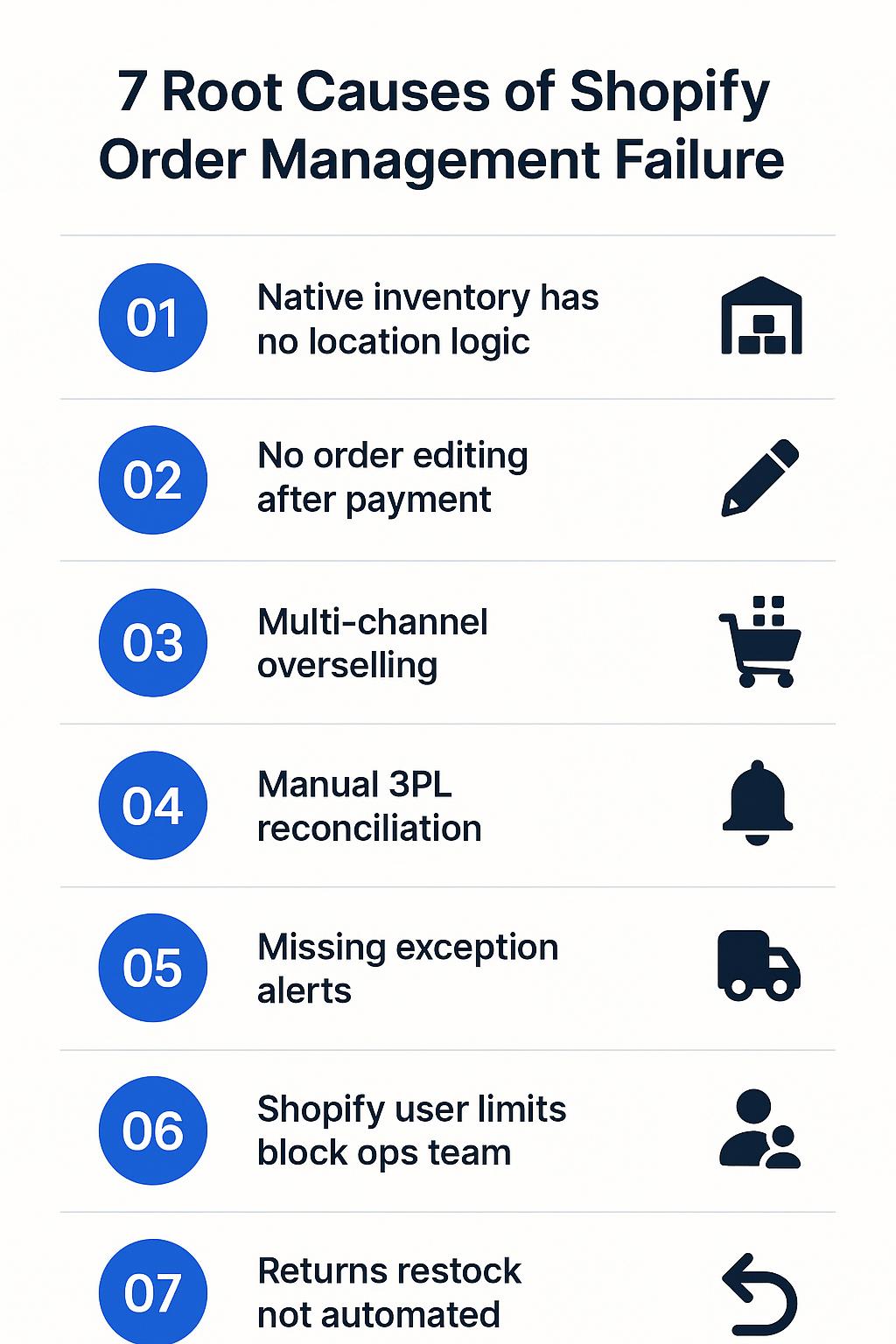
This guide covers the seven root causes of Shopify order management failure at scale, what Shopify’s native tools can and can’t do, and the specific tools and fixes that work for brands doing $1M–$5M in annual revenue.
Why Shopify Order Management Gets Harder After $1M
Shopify is built around the storefront. Its order management features — routing, bulk processing, Flow automation, pick lists — are designed to support that storefront, not replace a purpose-built OMS. That distinction doesn’t matter at $200K. It matters a lot at $2M.
Once a brand crosses $1M in revenue, several things happen simultaneously: SKU count grows, channel complexity increases (DTC + wholesale + sometimes marketplace), fulfillment moves from a founder doing it herself to a 3PL or warehouse team, and customer expectations around delivery speed tighten. Native Shopify workflows, built for simpler operations, start showing their seams.
According to Shopify’s own distributed order management research, e-commerce made up 16.4% of U.S. retail sales in Q3 2025 — and with that growth comes rising operational complexity that even well-configured Shopify stores struggle to absorb. The brands that scale well are the ones that identify which specific problems are breaking their operation and fix them systematically, not the ones that immediately buy enterprise software.
The 7 Most Common Shopify Order Management Problems at Scale
1. Inventory Inaccuracies Across Locations and Channels
Shopify tracks inventory by location — but once a brand has multiple warehouses, in-transit stock, bundles, wholesale allocations, and marketplace channels pulling from the same pool, the number in Shopify admin becomes less and less reliable. The result is a familiar cycle: oversells during campaigns, manual reconciliation every Monday morning, and the creeping dread of checking inventory before a launch.
The core problem is that Shopify’s native inventory model is optimized for a single or dual-location DTC operation. It’s not designed to handle the real-time push-pull of a brand with one owned warehouse, a 3PL, Amazon FBM inventory, and a wholesale channel all drawing from the same stock simultaneously.
2. Split Shipments That Quietly Erode Margins
Shopify’s native order routing is designed to minimize split fulfillments, ship from the closest location, and keep orders within their destination market. These are good defaults. But they don’t account for your P&L. When routing logic causes a two-warehouse split on a $45 order, the extra shipping cost and packing labor can eliminate the margin entirely.
Split shipments also create a downstream customer service problem. “Where’s the rest of my order?” tickets spike when customers receive one of two packages without clear communication. Brands that track their split shipment rate — and most don’t — are frequently surprised by how high it is.
3. Post-Purchase Order Edits Bottleneck Customer Service
Wrong address. Wrong size. Forgot to add an item. Wants to cancel before the 3PL picks it. These requests hit a CS team dozens of times per day at $1M+ order volumes. Shopify’s native order editing works for straightforward cases — but it has a significant limitation: if your products use a third-party options app (common for configurable products, bundles, or custom fields), those line item properties often aren’t editable post-purchase in Shopify admin.
That limitation forces a cancel-and-recreate workflow that takes 3–5 minutes per ticket, requires more permissions than a standard CS agent should have, and creates reconciliation problems in your accounting. Apps like OrderEditing.com — which handles over $5B in Shopify GMV — exist specifically to let customers self-serve these changes without touching Shopify admin at all.
4. 3PL Integration Gaps and Sync Blind Spots
Moving to a 3PL is supposed to simplify fulfillment. For many brands, it creates a new category of problems: delayed inventory syncs, orders stuck in “unfulfilled” limbo, no clear exception reporting, and support tickets that require log-ins to three separate portals to resolve.
The quality of the Shopify-to-3PL integration varies dramatically by provider. A modern WMS like Extensiv (formerly 3PL Central) provides proper bidirectional sync — orders in, tracking and inventory counts out — but even a well-configured integration requires deliberate setup: SKU mapping, location configuration, and order routing rules that match your actual operational flow. The default out-of-the-box configuration is rarely production-ready without customization.
5. Manual Exception Handling Explodes
Fraud holds, address corrections, backorders, partial fulfillments, replacement shipments, VIP rush orders — at small volumes, these are annoying. At $1M+, they consume entire days. Brands without automated exception workflows find their ops team spending 30–40% of their time on edge cases that represent maybe 5% of order volume.
Shopify Flow, now available across paid plans, is the right tool for automating exception routing. But it requires intentional design. Common high-ROI Flow automations for this revenue band include: tagging high-risk orders for manual review, holding orders with unverified addresses, routing wholesale orders differently from DTC, and escalating orders from VIP customers to a dedicated queue. These don’t happen automatically — they need to be built.
6. Reporting Fragmented Across Systems
The ops lead wants to know: what’s our on-time fulfillment rate this week? What percentage of orders are splitting? Which SKUs keep going out of stock? How many tickets came from fulfillment errors? Shopify can answer some of these questions — but not all, and not in the structured format that operational decision-making requires.
Once a 3PL, helpdesk, and returns platform are in the stack, data lives in four places. Building an operations dashboard that surfaces the right KPIs — fulfillment rate, order accuracy, error rate, inventory health — requires either a BI tool or a deliberate integration into something like Zoho Analytics.
7. Staff Access Limits Create Process Workarounds
This one surprises founders. Shopify’s staff user limits by plan are: Basic — 0 additional staff users; Grow — 5; Advanced — 15; Plus — unlimited. A $2M brand with a CS team, ops manager, warehouse coordinator, and agency access can hit this ceiling faster than expected. The workaround — shared logins — creates audit trail problems, permission issues, and accountability gaps that show up as ops errors.
What Shopify’s Native Order Management Does Well
Before jumping to third-party solutions, it’s worth being precise about what Shopify does well natively — because most brands haven’t fully utilized these features before adding complexity.
- Order routing: Shopify can route to the closest location, minimize split shipments, and keep orders within their destination market. Custom routing rules using location metafields are available for more nuanced logic.
- Bulk processing: Merchants can select up to 250 orders at once for label buying, status updates, and other batch operations — a significant improvement added in 2025.
- Pick lists with bin locations: Native pick lists help warehouse teams reduce errors without a separate WMS for lower-complexity operations.
- Shopify Flow: Available across all paid plans, Flow can automate tagging, exception routing, notifications, and custom workflows — without code.
- Package defaults: Setting package defaults reduces repetitive decisions at the shipping station and improves dimensional weight accuracy.
For a brand with one warehouse or 3PL, moderate SKU count, and limited B2B complexity, these native features — properly configured — can handle most operational needs well into the $2M–$3M range.
Where Shopify Falls Short at Scale
Shopify’s limits become relevant when operational complexity outgrows these defaults. Specifically:
- Advanced order orchestration: Complex cross-channel routing with cost-aware logic, vendor-specific rules, or hybrid warehouse models (owned + 3PL + dropship) requires middleware or a dedicated OMS.
- Custom post-purchase edits: Products using third-party options apps store data as line item properties, which Shopify admin cannot edit post-purchase without a cancel/recreate workflow.
- WMS-grade warehouse control: Directed putaway, scan compliance, wave planning, cartonization, and labor management require a WMS — Shopify’s pick lists are a starting point, not a replacement.
- B2B edge cases: B2B orders are limited to 500 line items; draft orders to 200. Heavy wholesale brands hit these limits.
- Flow restrictions: The “Send HTTP Request” action and partner-app tasks are plan-limited (Plus only for the latter), which constrains more complex automation architectures.
The Right Tools for $1M–$5M Shopify Brands
The right answer for most brands in this revenue range is not “buy an enterprise OMS.” It’s a layered approach: max out native Shopify, add targeted tools for specific bottlenecks, and introduce a 3PL or OMS layer only when complexity genuinely requires it.
For post-purchase order editing: OrderEditing.com
Allows customers to self-serve address changes, item edits, shipping method upgrades, and cancellations without touching Shopify admin. Works across $5B+ in Shopify GMV. This is one of the highest-ROI additions for a brand with significant CS volume from post-purchase change requests.
For inventory planning: Cogsy
Starting at $199/month, Cogsy provides 12-month demand planning, replenishment alerts, purchase orders, and backorder/preorder support. For many $1M–$3M brands, adding a planning layer is more impactful than adding OMS complexity — because the real problem is running out of stock, not order routing.
For advanced multichannel routing: Order Fulfillment Guru
When native Shopify routing isn’t enough but a full enterprise OMS is overkill, Order Fulfillment Guru can split and route orders by rule, sync across Shopify stores, and manage vendor/3PL routing logic.
For high-complexity operations: Pipe17
At $24,000/year (4,000 orders/month, 5 connectors, 1 ERP connection), Pipe17 is priced for the upper end of the $1M–$5M range. It handles B2B and DTC order holds, splits, and routing, keeps inventory synchronized across channels, and posts real-time updates to ERP or data warehouse. Most brands don’t need this until they’re approaching $5M with genuine multichannel complexity.
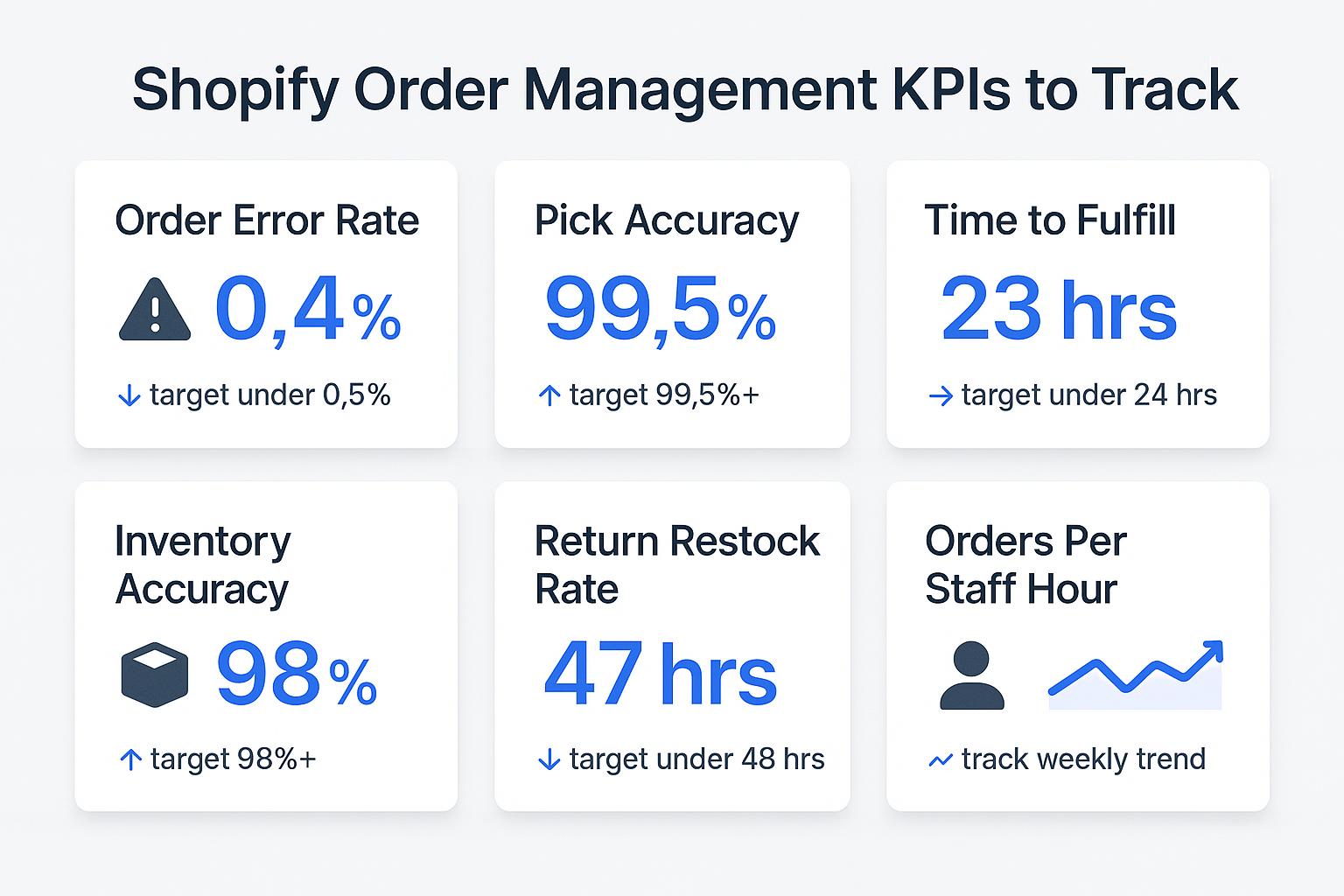
The KPIs That Tell You If Your Order Management Is Working
Operations problems are easiest to fix before they become customer-visible. Track these weekly:
- Order accuracy rate: Industry benchmark is 97–99%. Below 97% means your pick/pack process needs attention.
- On-time fulfillment rate: What percentage of orders ship within your stated SLA? Track separately by 3PL location if you have multiple.
- Split shipment rate: This should be below 5% for most DTC brands. Higher means your inventory placement or routing logic needs review.
- Exception rate: What percentage of orders require manual intervention? A rising exception rate signals a process or integration gap.
- Inventory sync latency: How long between a sale and the inventory count updating across channels? More than 15 minutes during high-volume periods is a risk.
According to Extensiv’s 2024 Benchmark Report, only 30% of warehouses took more than 90 minutes to fulfill and ship orders in 2024 — down from 48% in 2021. Customer expectations are moving faster than most operational improvements. Brands that track these KPIs have an early warning system; those that don’t find out when customers tweet.
When to Move Beyond Native Shopify Order Management
The signals that your operation has genuinely outgrown native Shopify order management:
- You have 3+ fulfillment nodes with materially different inventory pools and routing logic
- B2B and DTC are both significant, with different order rules, pricing, and packing requirements
- You have an ERP that needs to be the financial source of truth, with Shopify pulling from it
- Your exception rate is above 10% and can’t be automated with Flow alone
- Bundle/kit complexity is creating systematic fulfillment errors that inventory apps can’t solve
If fewer than three of these apply, you’re likely not ready for enterprise OMS complexity — and adding it prematurely will create more problems than it solves. The priority is fixing the operating model first: clean SKU data, deliberate inventory allocation, documented exception workflows, and the right 3PL integration. Software reinforces good operations; it doesn’t create them.
FAQ: Shopify Order Management at Scale
Does Shopify have a built-in order management system?
Shopify includes built-in OMS capabilities: order routing, bulk processing up to 250 orders, pick lists, Flow automation, and fulfillment partner visibility. However, it is primarily a commerce platform and has limits around advanced orchestration, custom routing, and post-purchase edits for non-native product options. For most $1M–$3M brands, native Shopify plus targeted apps is sufficient.
At what order volume do Shopify order management problems start?
Most brands start feeling real pain above 50–100 orders per day, around $1M–$2M in annual revenue. At this point, manual exception handling, inventory inaccuracies, and split shipment costs compound quickly without proper systems in place.
How do I stop Shopify inventory from going out of sync?
Combine real-time 3PL integration with a daily reconciliation job comparing Shopify counts against your WMS. Use Shopify Multi-Location to separate inventory pools by channel, and set buffer rules on each channel to absorb any sync latency during high-volume periods.
Can Shopify handle wholesale and DTC orders from one backend?
Yes. Shopify Plus has native B2B features including company profiles, custom price lists, and net payment terms. Standard Shopify can handle wholesale via draft orders and apps like Wholesale Club. Inventory allocation between channels requires deliberate Multi-Location configuration to prevent conflicts.
When should I invest in a dedicated OMS beyond Shopify native?
When you have multiple warehouses with materially different inventory pools, heavy B2B plus DTC plus marketplace operations, ERP integration requirements, or significant order exception volume that Shopify Flow cannot handle. For most $1M–$5M brands, Shopify native plus targeted apps is sufficient before an enterprise OMS investment.
Fixing Shopify order management problems is one of the highest-leverage investments a $1M–$5M brand can make. The margin impact of lower split shipments, fewer errors, and automated exceptions compounds quickly at scale. Book a call with ScaleOps to audit your current order management setup and build a prioritized fix plan.
Keep reading
- How to Automate Shopify Order Processing (Without Breaking Anything)
- Multi-Channel Inventory Management: Shopify, Amazon, and Retail
- How to Manage Shopify Apps Without Slowing Down Your Store
- How to Automate Shopify Order Tagging and Routing
Need hands-on help? Explore our Shopify Operations →
