Zoho CRM & Zoho One
Your Zoho investment working the way it was supposed to.
Most Zoho implementations fail not because the software is wrong, but because no one mapped the actual process before opening the configuration panel. We are operators first. We design how your product business sells — then build the system around it.
Book a Free Discovery Call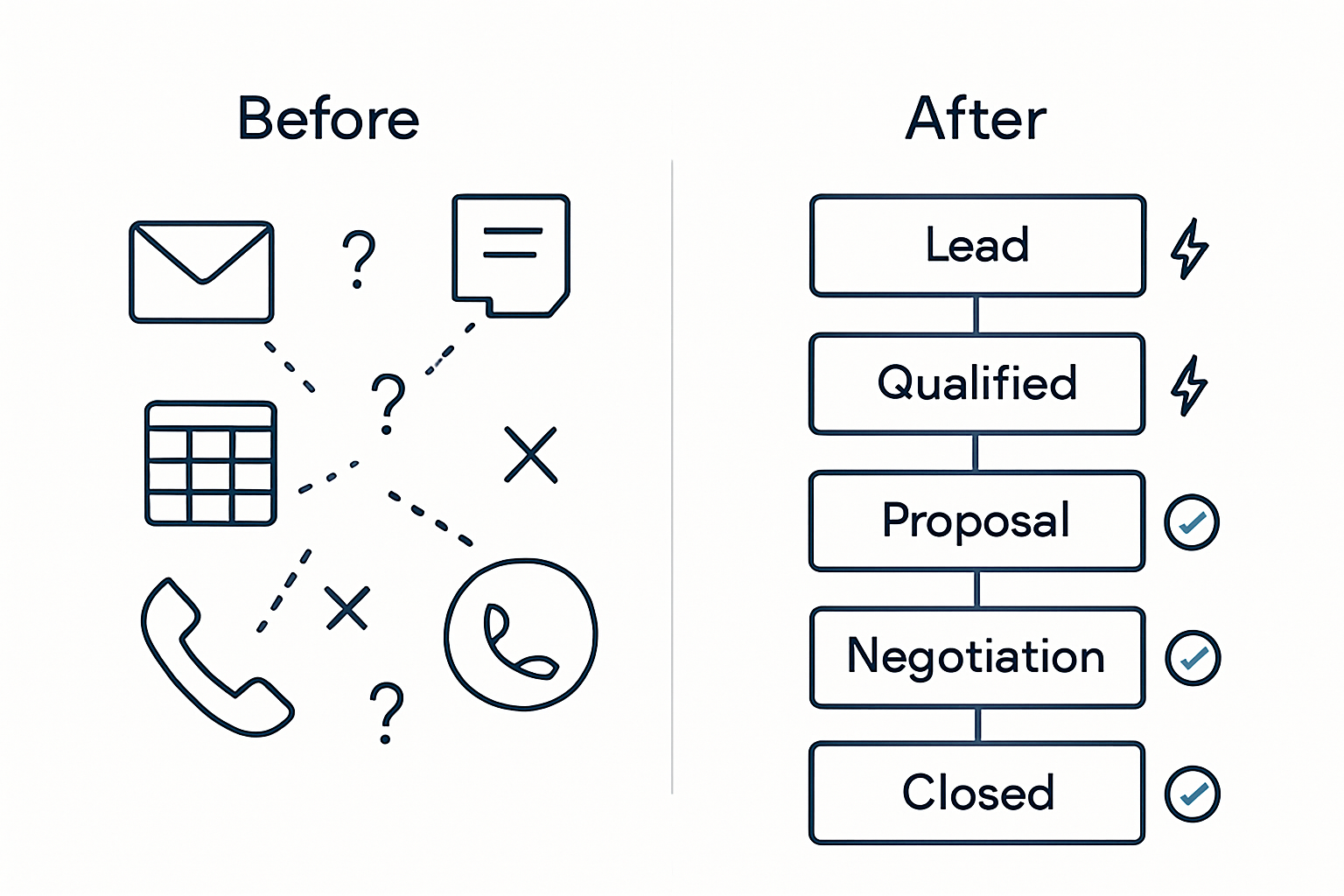
THE OPERATOR DIFFERENCE
We ran Zoho before we built it for clients.
Before the first client engagement, we were the operations lead inside fast-growing Canadian product companies — managing pipelines, building the SOPs your reps follow, sitting in the meetings where CRM adoption broke down. We know what it looks like when a system fails and a team quietly routes around it.
That experience is why our implementations hold up when others do not. We are not configuring software. We are solving the operational problem the software is supposed to fix. We already know what your team will resist, which configuration decisions create problems six months in, and what the founder actually needs to see on Monday morning.
We are not a Zoho partner who learned the platform through a certification course. We are operators who learned it by being responsible for it.
What we know from running it
The default Zoho pipeline stages do not reflect how a product brand sells. Wholesale pitch, sample request, PO hold, and reorder cycle are not a SaaS deal flow. We redesign your pipeline before touching the configuration panel.
The highest-leverage configuration decision
A CRM without a mandatory next-action field and date gets abandoned by any team with more than eight active accounts. This single decision determines whether your team uses the system or routes around it. It is almost never in a default setup.
Where adoption actually breaks
Teams stop using a CRM when the system does not match their actual workflow. That is an architecture problem, not a training problem. We solve it at the design stage — not in a two-hour onboarding session after the system is already built.
What the founder needs
Management visibility is the real ROI of a properly built CRM. Not features. Not automation. The ability to see what is stalled, what is active, and what needs attention — without asking anyone and without pulling a spreadsheet.
Why Most Zoho Implementations Fail
The problem is almost never the software. These are the patterns we see every time we take over a broken Zoho setup for a Canadian product brand.
Configured out of the box, never customized
The default Zoho modules rarely match how any real business operates. When the CRM does not reflect the actual sales process, teams route around it — back to email threads and spreadsheets within weeks of launch.
No process mapping before configuration
Configuration built before the actual sales process is understood means the system gets rebuilt as soon as the first real deal moves through it. We map the process first. Every field and pipeline stage follows from that, not from a template.
One training session and then silence
A two-hour onboarding call does not create adoption. People revert to old habits the moment the trainer disappears. We stay available for 30 days post-launch to answer questions that only surface once real deals are moving through the system.
No plan for the period after go-live
The weeks between launch and full adoption are where most CRM investments are lost. Teams encounter edge cases the system was not designed for, get no answers, and stop using it. This period needs a defined support plan — not an email thread and a follow-up survey.
What We Deliver
Full Zoho implementation from process discovery through configuration, go-live, training, and documented handoff.
Process Mapping Before Configuration
Before we touch a single setting, we map your actual sales process: stages, decision points, handoffs, edge cases, and the fields your reps actually need. The CRM is built to reflect how your team sells — not a vendor’s default demo environment.
CRM Configuration
Modules, fields, pipelines, views, and layouts built precisely to your process. No unused modules cluttering the interface. No fields your reps have to skip over every time they open a record. A system that fits.
Workflow Automation
Lead assignment rules, follow-up task triggers, stage transition notifications, and approval workflows automated. Deals move forward on their own. Your team spends time on relationships, not on CRM administration.
Zoho One Integration
Connect CRM with Books, Desk, Campaigns, Inventory, and any other Zoho apps in your stack. One data model across your entire operation — no manual syncing between tools and no customer or financial data living in silos.
Data Migration
Clean import from HubSpot, Salesforce, Pipedrive, or a spreadsheet. Deduplication, field mapping, and full validation before anything goes live. Your history and active deals move with you, correctly and completely.
Training and Adoption
Live sessions plus recorded walkthroughs for every role that touches the CRM. We stay available for 30 days post-launch to answer questions that only come up once real deals and real edge cases run through the system.
CRM SOPs
Documented processes for consistent CRM use: how to log a deal, handle a lost opportunity, run a pipeline review, and keep records clean over time. Your CRM does not degrade six months after we leave.
WHAT YOU GET
What actually changes after a proper implementation.
Not a feature list. What you will be able to do, see, and manage differently — starting in week six.
Pipeline visibility without asking
Your founder sees what is stalled, what is in active follow-up, and which accounts have gone cold — without pulling a spreadsheet or chasing reps for a status update. Management visibility is what you are actually buying.
A sales process that scales past the founder
New reps follow a documented workflow enforced by the system, not tribal knowledge passed down in Slack threads. Deals move forward consistently whether you are in every conversation or not.
Ops and finance know what sales has committed
Zoho CRM connected to Books and Inventory means your operations and finance teams see customer commitments in real time — before they become fulfillment surprises or cash flow problems.
A system that stays clean six months out
SOPs for CRM use, documented data entry standards, and a defined maintenance process mean the system reflects reality long after we leave — not just in the weeks while we are still available.
THE ENGAGEMENT
A six-week engagement. Fixed scope. Documented handoff.
No open-ended retainers. You know exactly what gets built, when it goes live, and what you will have at the end.
Discovery & Process Mapping — Week 1
We map your actual sales process before opening Zoho. Pipeline stages, decision points, handoffs, edge cases, and the specific fields your reps need. This is where the real implementation work happens — before a single setting is touched.
Configuration Build — Weeks 2–3
Modules, fields, pipelines, views, layouts, and automations built to your process map. No unused features. No default templates carried over. A system designed for how your business actually operates.
Integration & Data Migration — Weeks 3–4
Zoho CRM connected to Books, Inventory, Desk, and Campaigns as needed. Existing data migrated from HubSpot, Salesforce, Pipedrive, or spreadsheets — with deduplication and validation before anything goes live.
Testing & UAT — Weeks 4–5
We run your actual deals through the system before your team touches it. Every pipeline stage, automation trigger, and integration tested against real scenarios from your business — not a generic checklist.
Training & Go-Live — Weeks 5–6
Role-based training for every user. Recorded walkthroughs they can reference afterward. A documented CRM SOP covering how to log deals, handle edge cases, and keep records clean over time.
30-Day Post-Launch Support
We stay available for 30 days after go-live to answer questions that only surface once real deals run through the system. This is the period most implementations get abandoned. We cover it as part of every engagement.
PLATFORM GUIDANCE
Zoho One or Zoho CRM? The honest answer for product brands.
Most partners upsell Zoho One because the margin is better. We recommend what is actually right for your business and your headcount. Here is how most $2M–$15M Canadian product brands should think about this.
Right for most product brands
Zoho CRM + Inventory + Books
~$35–50/user/month depending on editions
- Clean sales pipeline, account management, and deal tracking built for how product brands sell
- Inventory visibility tied directly to your sales accounts — no more overselling or fulfillment surprises
- Finance integration: payment history and outstanding invoices visible to reps before they re-pitch
- 3PL and fulfillment system connections through Zoho Inventory
- Analytics and reporting across CRM, ops, and financial data
Start here unless multi-department coordination across HR, projects, and marketing automation is your primary problem. Adding apps later is straightforward once the core is stable.
Right when the whole company needs connecting
Zoho One
~$45/user/month — all employees, not just CRM users
- CRM, Books, Inventory, Desk, Campaigns, HR, Projects, Cliq, and 40+ apps under one subscription
- Single data model across every department — one source of truth for customer, financial, and operational data
- Significant value at 5–10 users with multi-department needs
- Gets expensive at 15+ employees since every person requires a license
At 20 employees, Zoho One runs ~$10,800 CAD/year in licensing before any implementation cost. It is the right answer for some businesses. It is not the right answer for all of them — and we will tell you which applies to yours.
Who This Is For
Teams not actually using their CRM
You have Zoho but deals are tracked in email threads and shared spreadsheets. The CRM is there but nobody trusts it. This is the most common starting point — and the most fixable once the root cause is addressed.
Brands scaling their sales team
Adding reps means adding complexity. You need a sales process that scales with headcount — not one that only works when the founder is in every deal. The CRM has to carry the process, not the relationships.
Operators migrating from another CRM
Moving off HubSpot, Salesforce, or a spreadsheet. You need a clean migration with no data loss, no disruption to active deals, and a new setup that is measurably better than what you left behind.
Who this is not for
Teams that have not agreed on how they sell yet
If your sales process changes with every deal, configuring a CRM will lock in the wrong process. We recommend a process design engagement first — build the playbook before building the system.
Companies looking for the lowest-cost option
A properly built Zoho implementation takes six weeks and involves real process design work. If the goal is the cheapest possible setup, there are faster options — they just will not hold up once your team tries to use them on real deals.
Businesses that want automation before basic process discipline
Automation amplifies your process — good or bad. If your sales motion is inconsistent across reps, automating it creates consistent inconsistency. We address process first and introduce automation once the foundation is stable.
Common Questions
How long does a Zoho CRM implementation take?
For a $2M–$15M product brand with a sales team of 2–10 people, a complete implementation takes 4–6 weeks: one week for discovery and process mapping, two weeks for configuration, one week for data migration and integration, and one week for training and go-live — plus 30 days of post-launch support included in every engagement. Setups with multiple Zoho app integrations or large data migrations run 8–10 weeks. We scope the timeline on the discovery call before any work begins.
How much does a Zoho CRM implementation cost?
We work on fixed-price engagements scoped after a free discovery call. Industry ranges for a mid-size product brand (process mapping + CRM configuration + integrations + data migration + training + 30-day support) run from $8,000 to $20,000 CAD depending on scope and the number of Zoho apps involved. We give you a specific number after the discovery call. No open-ended retainers and no hourly billing that expands as the project grows.
We already have Zoho but nobody is using it. Can you fix an existing setup?
Yes — this is one of the most common starting points. We audit the existing configuration against your actual sales process, identify the specific friction points causing abandonment, and rebuild the sections that are driving non-adoption. In most cases a rebuild engagement is faster and less expensive than a net-new implementation because the data and account history is already there.
Should we get Zoho One or just Zoho CRM?
For most $2M–$15M Canadian product brands, Zoho CRM Enterprise plus Inventory and Books is the right answer. Zoho One makes sense when you need a single platform across every department — HR, projects, marketing automation, and more. The critical detail: Zoho One requires a license for every employee, not just CRM users, which makes it expensive at 15+ employees. At 20 people, Zoho One runs approximately $10,800 CAD per year in licensing before any implementation cost. We assess this on the discovery call and give you a specific recommendation based on your headcount and actual use case.
Can you migrate our data from HubSpot, Salesforce, or a spreadsheet?
Yes. We handle migrations from HubSpot, Salesforce, Pipedrive, and spreadsheets. The migration includes field mapping, deduplication, and full validation before anything goes live. We do not go live until your historical data and active deals are confirmed clean and complete in the new system. If your source data is messy, we flag and resolve that during the migration phase rather than importing the mess.
What if our sales process is a mess right now?
That is normal and it is not a reason to wait. The process mapping step at the start of every engagement is specifically designed for messy situations. We have worked with teams tracking deals in inboxes, shared spreadsheets, and WhatsApp threads. The discovery process is how we turn that into a documented sales motion — and then build the CRM around it. Starting with a messy process is better than starting with the wrong process already locked into a system.
Will our team actually use it after you leave?
Adoption is an architecture problem, not a training problem. We address it at the design stage: the system is built to reflect how your team actually works, not how the software defaults are arranged. We also deliver role-based training with recorded walkthroughs your reps can reference, a documented CRM SOP covering every common scenario, and 30 days of post-launch support — specifically to cover the questions that only come up once real deals are moving through the system.
Do you resell Zoho licenses?
We can facilitate licensing as a Zoho partner, but we are not primarily a reseller. Our value is the process design and implementation work. Zoho software costs are separate from our engagement fee and can be purchased directly from Zoho or through us at the same price. We will give you an honest recommendation on which edition you actually need — not the edition with the best partner margin.
Ready to make Zoho actually work?
Book a free 30-minute discovery call. We will review your current setup and sales process — and give you a specific scope, timeline, and fixed price before any work begins.
Related guides & services
- How Extensiv Connects to Shopify, Zoho, and Your Tech Stack (2026)
- How to Set Up Google Analytics 4 for E-commerce Tracking
- How to Migrate from HubSpot to Zoho CRM Without Losing Data (2026)
- How to Use Shopify Analytics to Grow Your E-commerce Business
- Shopify + Zoho CRM Integration: Complete Guide for Product Brands (2026)
- Shopify Operations
- 3PL Integration
Need hands-on help? Book a free discovery call →