If you run a Shopify cash-on-delivery store in Pakistan, inventory management is probably the part of the business that quietly eats your margins. Stock that says “available” but isn’t. Parcels that come back from the courier and never make it back onto the shelf. Two warehouses that never quite agree on how many units you actually have. This guide is a complete, practical walkthrough of inventory management for Shopify COD stores in Pakistan — why it breaks, what it costs you, and exactly how to fix it without buying enterprise software built for someone else’s market.
It is written for the reality most Pakistani brands actually operate in: high COD return rates, stock tracked in Excel, a team that lives on their phones, and a warehouse (or three) in Karachi, Lahore, or Islamabad.
Why inventory is harder for COD stores in Pakistan
In most markets, an online order is paid for the moment it is placed. The money clears, the unit ships, and the stock count goes down by one — permanently. Cash on delivery breaks that clean cycle. In Pakistan, where Shopify stores run overwhelmingly on COD, a single unit can leave your warehouse, travel for days with a courier like TCS, Leopards, or M&P, get refused at the door, and travel all the way back — sometimes a week later. During that entire time, that unit is neither “sold” nor “in stock.” It is in limbo.
Multiply that by a 25–45% return rate, which is normal for COD fashion and footwear in Pakistan, and you can see the problem. At any moment, a meaningful slice of your inventory is in motion, and a spreadsheet has no idea where it is. The result is the two most expensive words in e-commerce operations: overselling (you sold something you did not actually have) and dead stock (you have something you forgot you owned).
The 5 problems that quietly cost you money
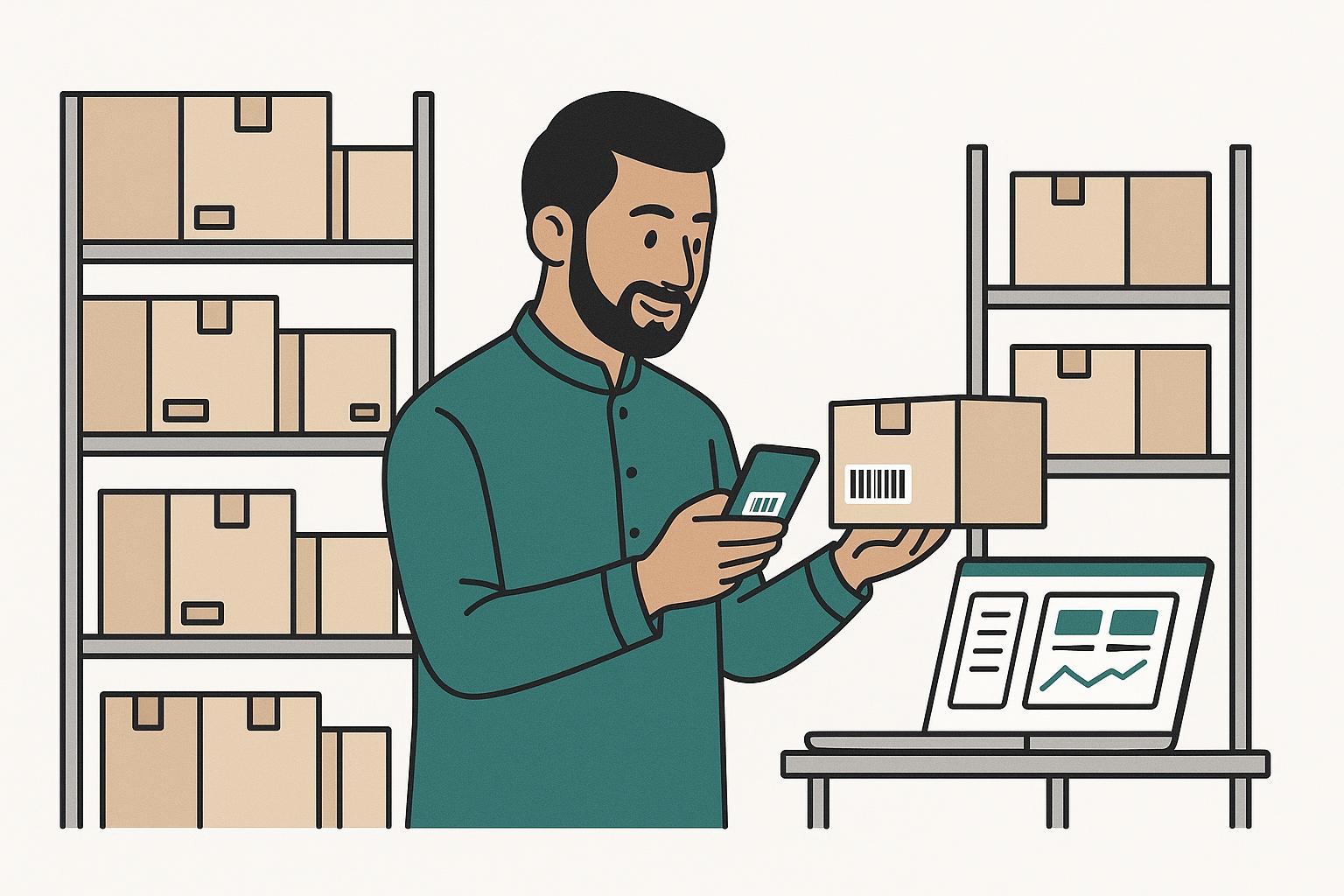
Almost every inventory headache a Pakistani COD brand faces traces back to one of these five:
- High COD returns that re-enter stock late, or never get counted back at all.
- Overselling — your store shows “in stock,” the customer orders, and you cannot fulfil. On COD that means a wasted booking, a courier charge, and an angry customer.
- Manual spreadsheets that one person updates by hand, usually a day or two behind reality.
- Multiple warehouses across cities whose numbers never reconcile, so you cannot trust any single total.
- Dead stock — units sitting in a corner that nobody can see, tying up cash you could be reinvesting in fast movers.
Notice that four of the five are really visibility problems, not buying problems. You do not have too much or too little stock as often as you simply cannot see what you have, where it is, and what state it is in.
How COD returns break your stock counts (and the scan-back fix)
This is the single biggest difference between running inventory in Pakistan and running it in a prepaid market, so it deserves its own section.
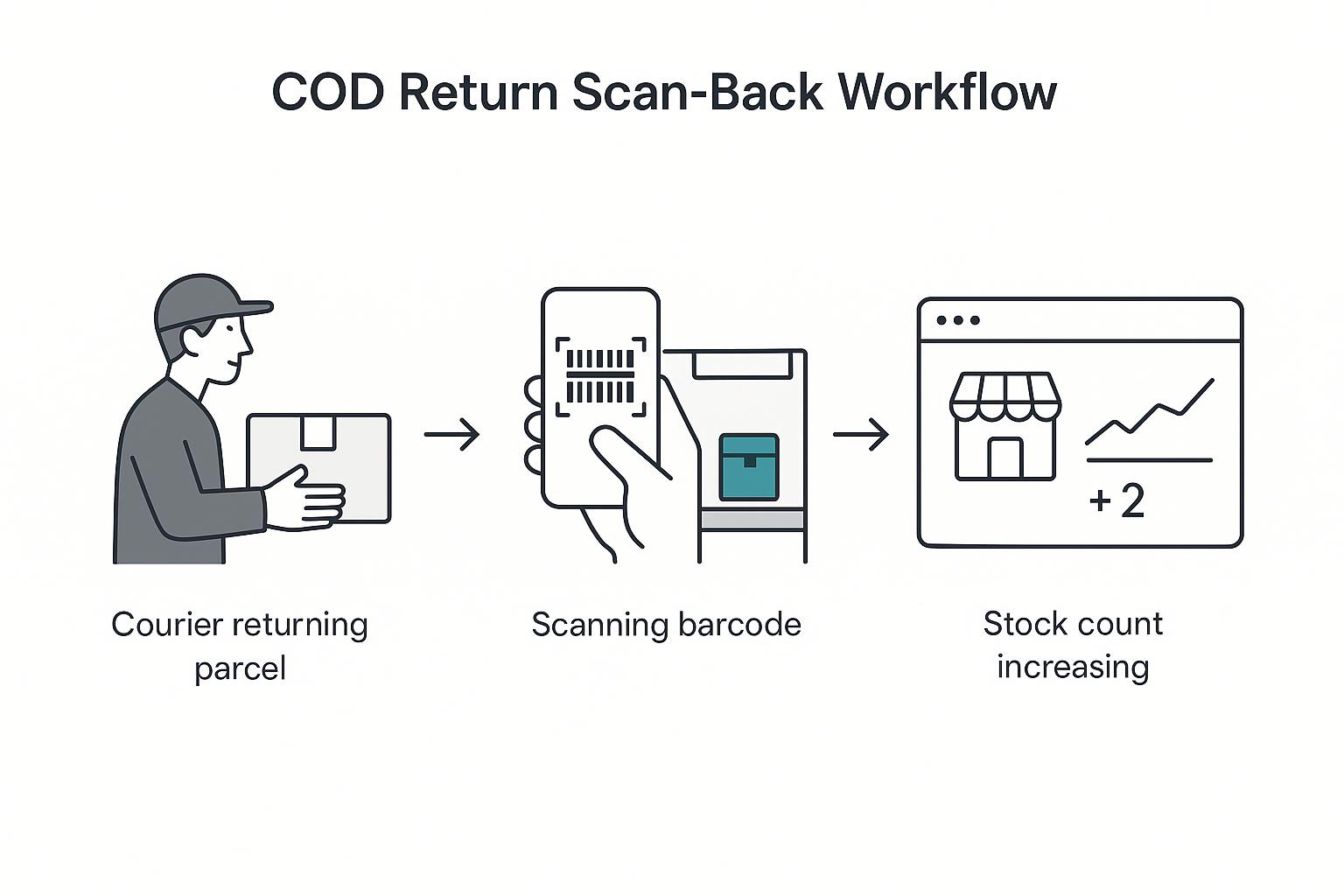
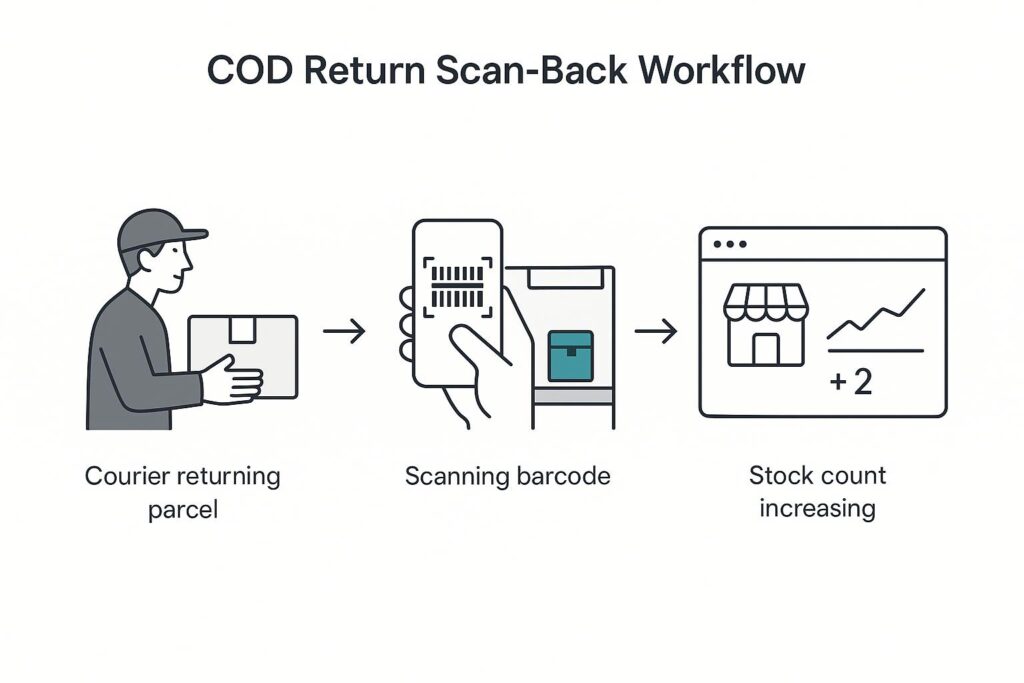
When a courier returns a refused COD parcel, three things need to happen, in order:
- The physical unit needs to be identified — which exact product and variant is in this box?
- It needs to be put back into available stock so it can be re-sold.
- Your Shopify store needs to know the count went back up.
In a spreadsheet workflow, all three steps are manual and easy to skip when the team is busy. The fix is a scan-back process: every unit carries a barcode, so when a return arrives, a staff member scans it with a phone, taps “return to stock,” and the unit is instantly back in available inventory with a logged movement. Shopify gets the updated count within seconds. No spreadsheet, no guesswork, no unit lost in limbo. This is exactly the flow ScaleOps Inventory was built around for Pakistani COD stores.
Per-unit vs SKU-level tracking: what Pakistani stores actually need
Most basic inventory tools track at the SKU level: you have “Black Sneakers — Size 9,” and a number next to it. That works until returns and multi-warehouse movement enter the picture, because a number cannot tell you which physical units are where, or which ones have already been out and come back.
Per-unit tracking gives every individual item its own barcode and history. You can scan a single returned shoe and know it is the one that shipped to Lahore on Tuesday, came back Friday, and is now back on the shelf. For high-return COD categories — footwear, apparel, leather goods — this traceability is the difference between a stock count you can trust and one you constantly second-guess. For low-value, high-volume consumables it may be overkill; for the typical Pakistani fashion brand, it is exactly right.
Managing stock across multiple warehouses (Karachi, Lahore, Islamabad)
As brands grow, a single storeroom becomes a Karachi shop plus a Lahore warehouse plus an Islamabad dispatch point. Each location holds stock, each fulfils orders, and Shopify needs to pull from the right one. The classic failure is treating all locations as one big number: Shopify says you have 40 units, a customer in Lahore orders, and it turns out all 40 are in Karachi.
Good multi-warehouse inventory does three things: it tracks stock per location, it maps each location to the correct Shopify location, and it lets you move units between warehouses with a logged transfer so nothing disappears in transit. If you operate in more than one city, insist on this — it is not a “nice to have.” We cover the operational side in depth in our guide to multi-warehouse inventory for Pakistani Shopify brands.
Syncing inventory with Shopify in real time
Your inventory system is only useful if Shopify reflects it. The goal is simple to state and important to get right: when stock changes in your warehouse — a sale, a return, a transfer, an adjustment — your Shopify product count should update within seconds, not on a nightly batch.
Real-time sync is what actually prevents overselling. If your store knows the true count the instant it changes, it can stop selling a variant the moment it hits zero, and start selling it again the moment a return puts a unit back. Batch syncing (once a day, or manual CSV uploads) always leaves a window where the store and the warehouse disagree — and on COD, that window is where wasted bookings and refused parcels are born. When you evaluate tools, ask specifically: is the Shopify sync real-time, and does it write stock back to the correct location?
Choosing inventory software in Pakistan: a checklist
Global inventory platforms like Cin7 or Linnworks are powerful but priced and designed for prepaid Western retail — monthly license fees in dollars, SKU-level logic, and no concept of a COD return flow. For a Pakistani COD brand, use this checklist instead:
- ✅ COD return scan-back built in — not a manual workaround
- ✅ Per-unit barcode tracking, with labels you can print on a normal printer
- ✅ Real-time Shopify sync that writes to the correct location
- ✅ Multi-warehouse support with logged transfers
- ✅ Mobile-first — your warehouse team works on phones, not desktops
- ✅ Local pricing and support — priced for the Pakistani market, no dollar license
- ✅ Fast setup — live in days, not a multi-month implementation
If a tool cannot tick the first three boxes, it was not built for how you actually sell.
Getting started in 5 steps
- Get your SKUs straight. List every product and variant you sell, with a clean name and a starting count. This becomes your source of truth.
- Generate and print barcodes. Per-unit labels let you scan returns and movements. You do not need expensive hardware — a normal A4 printer works to start.
- Connect Shopify. Link your store so stock counts sync both ways, and map each warehouse to its Shopify location.
- Set up the COD return flow. Train the team on the scan-back: returned parcel → scan → return to stock. Make it a two-tap habit.
- Go mobile. Put the system in your warehouse staff’s hands on their phones so receiving, scanning, and counts happen where the stock is.
Stop guessing your stock counts
ScaleOps Inventory is built for Pakistani Shopify COD stores — per-unit barcode tracking, one-scan COD returns, and real-time Shopify sync. Start a free trial and see your true stock in minutes.
Get a Free Trial →Frequently asked questions
What is the best inventory management system for Shopify COD stores in Pakistan?
The best system for a Pakistani COD store is one built around cash-on-delivery realities: per-unit barcode tracking, a one-scan COD return flow, real-time Shopify sync, and multi-warehouse support — priced for the local market. Generic global tools like Cin7 or Linnworks lack a native COD return flow and are priced in dollars, which is why purpose-built options like ScaleOps Inventory fit Pakistani brands better.
How do COD returns affect my Shopify inventory?
Every refused COD parcel is a unit that left your stock but was never truly sold. Until it is physically returned and counted back in, your real available stock is higher than your system shows — which leads to lost sales — or, if you guessed, lower than reality — which leads to overselling. A barcode scan-back process puts returned units back into stock and updates Shopify within seconds.
Do I need barcodes and a scanner to manage inventory in Pakistan?
You need barcodes for reliable per-unit tracking, but you do not need expensive hardware. The system generates barcodes automatically and you can print them on a normal A4 printer to start. For scanning, a smartphone camera works for low-to-medium volume; high-volume warehouses can plug in a cheap USB or Bluetooth scanner later.
Can I manage stock across warehouses in Karachi, Lahore, and Islamabad?
Yes. Proper multi-warehouse inventory tracks stock per location, maps each location to its Shopify location so orders pull from the right city, and logs transfers when you move units between warehouses. This prevents the common failure where Shopify shows total stock that is actually all sitting in one city.
How is per-unit tracking different from normal Shopify inventory?
Shopify tracks inventory as a number per SKU. Per-unit tracking gives each physical item its own barcode and movement history, so you can scan a single returned item and know exactly which unit it is and where it has been. For high-return COD categories like footwear and apparel, that traceability makes your stock counts trustworthy in a way a plain number cannot.
How long does it take to set up inventory software for a Shopify store?
A purpose-built tool for Pakistani COD stores can be live in days: import your products, generate barcodes, connect Shopify with a one-time authorisation, and train your team on the scan-back flow. This is very different from enterprise platforms, which often take months of implementation.
