Overselling is one of the most damaging — and most preventable — mistakes a Shopify store can make. You sell a product you do not actually have, then have to cancel the order, apologise, and eat the cost. For a cash-on-delivery store in Pakistan it stings even more, because by the time you realise, a courier has often already been booked. This guide explains how to stop overselling on Shopify for good, with fixes built for how COD stores in Pakistan actually operate.
What overselling is and why it costs you
Overselling happens when your store accepts an order for stock you do not actually have. The customer thinks they have bought something; you cannot deliver it. On a prepaid store that means a refund and a bad review. On a Pakistani COD store it is worse: you may have already booked the courier, paid the booking charge, and committed your team’s time — all for an order you have to cancel. Do it often enough and customers stop trusting your store, which is the most expensive cost of all.
The real causes of overselling
Overselling is almost never about buying too little. It is about your store not knowing your true stock at the moment of sale. The usual culprits:
- Stock counts updated in batches — once a day, or by manual CSV upload — so the store sells from yesterday’s numbers.
- Returns not counted back correctly, so the system and reality drift apart over time.
- Selling on more than one channel (Shopify plus Instagram plus a marketplace) without a single shared stock count.
- Manual spreadsheets that one person updates, always a step behind real sales and returns.
Every one of these is a timing problem: a gap between what is true in the warehouse and what the store believes. Close the gap and overselling disappears.
Fix #1: real-time stock sync
The single most effective fix is real-time synchronisation between your warehouse and Shopify. When stock changes — a sale, a return, a transfer, an adjustment — your Shopify count should update within seconds, not overnight.
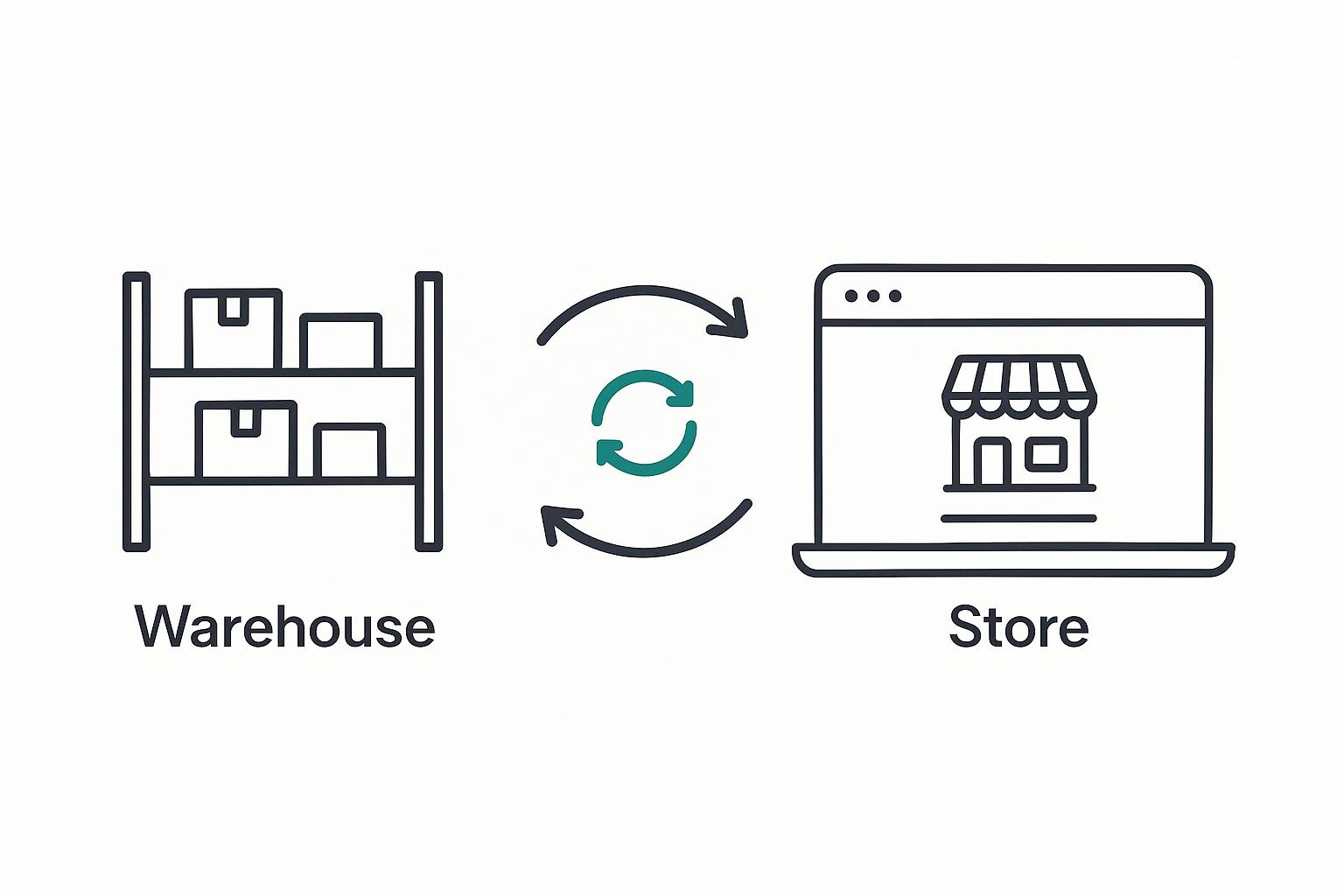
With real-time sync, the moment a variant hits zero, Shopify stops selling it. The moment a return puts a unit back, Shopify offers it again. There is no window where the store is selling phantom stock. Batch syncing and manual uploads always leave that window open — and on COD, that window is exactly where overselling lives. This is why a tool like ScaleOps Inventory syncs to Shopify in seconds rather than on a schedule.
Fix #2: count returns back in correctly
The flip side of overselling is the slow drift caused by mishandled returns. If refused COD parcels are not counted back into stock accurately, your numbers and reality separate a little more every week. Eventually you are either sitting on stock the store will not sell, or selling stock you no longer have. A barcode scan-back process — scan the returned unit, confirm it is sellable, mark it back to stock — keeps the two in lockstep. We cover this in detail in our guide to handling COD returns without losing stock.
Fix #3: buffer stock and shared channels
Two practical safeguards round out your defence against overselling:
- Keep a small buffer on fast movers. For your best-selling variants, hold a few units back from the public count as a safety margin during busy periods. It is a cheap insurance against a sudden rush.
- Sell every channel from one stock count. If you sell on Shopify, Instagram, and a marketplace, they must all draw from the same live inventory. A single source of truth that pushes to every channel prevents the classic “sold on Instagram, oversold on Shopify” problem.
For the complete operational picture, see our guide to inventory management for Shopify COD stores in Pakistan.
Never oversell again
ScaleOps Inventory keeps Shopify in sync with your real stock in seconds — so you stop selling what you do not have. Try it free.
Get a Free Trial →Frequently asked questions
How do I stop overselling on Shopify?
Stop overselling by keeping your Shopify stock count in real-time sync with your actual warehouse stock. When a sale, return, or transfer happens, the count should update within seconds so the store stops selling a variant the moment it hits zero. Batch updates and manual spreadsheets leave a gap where overselling happens; real-time inventory software closes it.
Why is overselling worse for COD stores in Pakistan?
On a prepaid store, overselling means a refund. On a COD store you may have already booked and paid for a courier before realising you cannot fulfil, so you lose the booking cost and your team’s time on top of the customer’s trust. Because COD volumes and returns are high, accurate real-time stock matters even more.
Does real-time inventory sync really prevent overselling?
Yes. Real-time sync means Shopify always reflects your true available stock, so it automatically stops selling a variant at zero and resumes when a return restocks it. There is no window of phantom stock for an oversell to slip through, unlike with daily batch syncs or manual CSV uploads.
Should I keep buffer stock to avoid overselling?
A small buffer on your fastest-selling variants is sensible insurance during busy periods. Hold a few units back from the public count so a sudden rush cannot push you negative. Buffers complement real-time sync; they do not replace it.
How do I avoid overselling when I sell on multiple channels?
Sell every channel from one shared, live stock count. If Shopify, Instagram, and any marketplace all draw from the same source of truth and update in real time, a sale on one channel immediately reduces availability everywhere, preventing cross-channel overselling.
